ANTHBOT Mower Setup Guide: Install & Configure
Master your ANTHBOT mower robot lawn mower setup with our step-by-step installation guide. Learn boundary mapping, app configuration, and optimization tips for flawless automated mowing.
Automated Yard Freedom: The Complete Setup Guide for Your ANTHBOT Mower Robot Lawn Mower
Over 65% of homeowners say they'd reclaim at least five hours per week if lawn care weren't on their to-do list. That's time you could spend with family, pursuing hobbies, or simply relaxing—and the ANTHBOT mower robot lawn mower makes it possible.
The catch? Getting it right from the start matters tremendously. I've watched countless smart home enthusiasts purchase premium robot mowers only to struggle through setup, leading to suboptimal performance or frustration. The ANTHBOT mower robot lawn mower is engineered to simplify yard automation, but like any sophisticated technology, the initial configuration determines whether you'll experience seamless operation or ongoing headaches.
Start your ANTHBOT mower robot lawn mower setup journey today with a complete activation guide.
In this guide, I'm breaking down everything from unboxing and boundary mapping to app connectivity and seasonal maintenance schedules. You'll discover the exact steps that transform a new ANTHBOT mower robot lawn mower into a hands-free yard management system, plus insider tips that prevent common setup mistakes. By the end, you'll have the confidence to maximize every feature your robot mower offers.
Unboxing and Initial Hardware Setup for Your ANTHBOT Mower Robot Lawn Mower
Inventory checklist: what components come in the box and what to verify before starting
Before powering anything on, lay out all components and verify against the included documentation. Your ANTHBOT mower robot lawn mower package typically includes the mower unit itself, a docking station, charging cables, boundary wire (if your model uses it), stakes or fasteners, the mobile app installation card, and warranty documentation. Check each item carefully—this inventory process catches shipping damage early and ensures nothing's missing before you proceed with assembly.
Charging the lithium battery: recommended initial charge duration and indicators
The lithium battery inside your mower arrives partially charged but needs a full initial charge before first operation. Connect the mower to its docking station via the provided charging cable and allow 4-6 hours for complete charging. Monitor the LED indicator on the unit—it will transition from red (charging) to green (fully charged). Resist the temptation to start mowing immediately; this initial charge cycle optimizes battery conditioning and ensures maximum runtime performance from day one.
Installing the docking station: optimal placement for automatic returns and charging efficiency
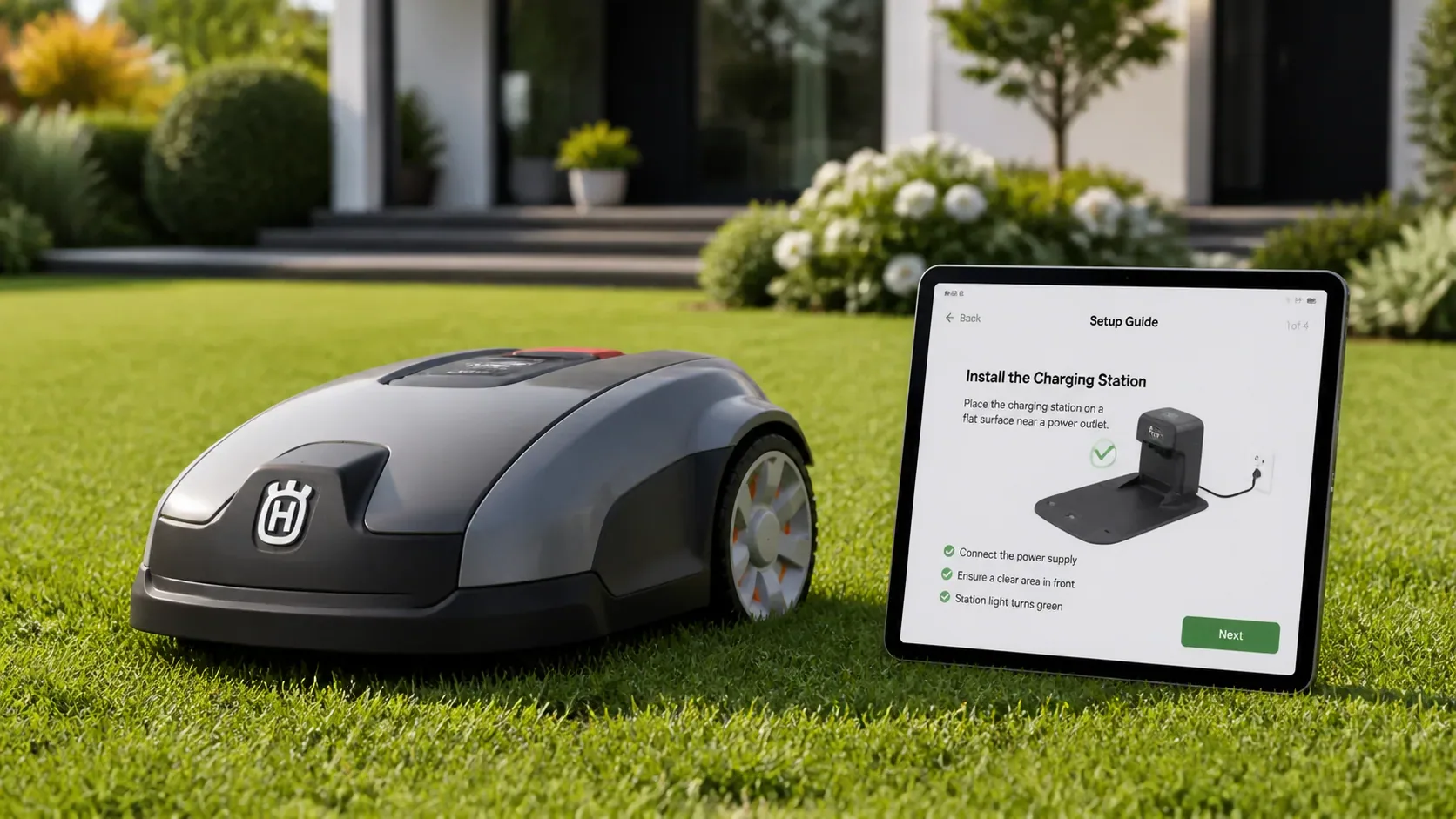
Placement of your docking station determines whether your mower can efficiently find its way home. Position the station on level ground with at least 1.5 meters of clear space on each side and 2 meters of clearance directly in front. Avoid placing it under trees, gutters, or areas with heavy shade—these conditions interfere with GPS positioning and charging alignment. Ideally, locate it near a power outlet and in a spot that's easily accessible but not in the middle of your primary lawn area. The mower must have an unobstructed line of sight to approach and dock reliably.
Assembling cutting blades and adjustable cutting height mechanisms safely
Your ANTHBOT mower robot lawn mower arrives with safety guards protecting the cutting deck. Remove these guards only when you're ready to install or inspect blades. Follow the included instructions precisely—incorrect blade installation creates vibration, uneven cutting, or safety hazards. Most models feature adjustable cutting height either through app control or physical adjustment points on the chassis. Set your initial cutting height to match your grass type (typically 2-3 inches for most lawns) before your first autonomous run. Always disconnect power before handling blades.
Powering on your ANTHBOT mower robot lawn mower and performing pre-operation diagnostics
Once hardware assembly is complete, initiate power-on by pressing the designated button—usually located on top of the unit. Most models perform an automatic self-diagnostic that takes 30-60 seconds. During this sequence, you'll hear beeps and notice LED patterns indicating system status. The mower checks blade rotation, wheel motors, sensor responsiveness, and battery health. Any error codes that appear should be documented and referenced in your manual or support resources before proceeding to boundary mapping.
Understanding LED indicators and what different light patterns communicate
LED indicators are your mower's primary communication tool. A steady green light typically indicates ready status, while blinking green suggests active mowing. Red or orange patterns usually signal low battery, charging in progress, or a fault condition requiring attention. Some models use multiple LEDs for different functions—one for power, another for connectivity, and a third for error states. Familiarize yourself with these patterns in your specific manual so you can quickly diagnose issues without opening the app every time.
Safety features activation and emergency stop button familiarization
Your ANTHBOT mower robot lawn mower includes safety mechanisms designed to prevent accidents. Locate the emergency stop button—typically a red switch accessible without tools—and test its function while the mower is powered on but stationary. The unit should stop immediately and remain disabled until you reset the button. Additional safety features may include cliff detection sensors that prevent the mower from tumbling down slopes, and obstacle avoidance that halts operation when it encounters unexpected objects. Test each safety feature during your setup phase, not during your first autonomous run.
Mapping Your Lawn: Boundary Definition and Multi-Zone Configuration
GPS and RTK positioning systems: how ANTHBOT mower robot lawn mower navigation works
Your ANTHBOT mower robot lawn mower employs either GPS or RTK (Real-Time Kinematic) positioning to navigate your yard. GPS provides general location awareness accurate to within a few meters, sufficient for most residential lawns. RTK positioning offers centimeter-level accuracy by using ground-based correction stations, making it ideal if you have complex layouts, narrow passages, or very precise aesthetic requirements. Understanding which system your model uses helps set realistic expectations for boundary accuracy and coverage patterns. RTK models typically cost more but deliver superior performance in challenging terrain.
Creating boundary lines using the mobile app or manual walk-through methods
Boundary mapping is the most critical setup step—it determines which areas your mower will and won't access. Most ANTHBOT models allow you to create boundaries through the companion app by tapping points on an aerial map of your property. Start by walking your perimeter while the app records your GPS coordinates, establishing your lawn's outer edges. If your model supports manual boundaries via physical wire, install the wire around perimeter areas where you want to restrict access, securing it with stakes every 1-2 meters. Take your time with this step; rushed boundary mapping leads to missed spots or the mower wandering into flower beds.
Handling complex lawn layouts with multiple zones and separate cutting areas
Homes with multiple lawn areas benefit from ANTHBOT's multi-zone capability. If your property includes a front lawn, backyard, and side yard separated by patios or driveways, map each zone independently within the app. Assign different cutting schedules or heights to each zone based on sun exposure and usage patterns. The mower can navigate between zones if physical paths exist, or you can manually relocate it to start a new zone. For properties with truly disconnected lawn areas, you might need multiple mowers to achieve efficient coverage.
Obstacle detection setup: teaching your robot mower about trees, garden beds, and structures
Your ANTHBOT mower robot lawn mower uses sensors to detect obstacles during operation, but the app allows you to proactively mark permanent features. Flag trees, garden beds, deck posts, and other stationary objects on your lawn map. This information helps the mower plan efficient routes that avoid unnecessary collision attempts. For hardscape obstacles that the mower might not recognize during autonomous operation—like garden edging or low decorative fencing—you can establish virtual boundaries around them. This proactive obstacle mapping creates cleaner mowing patterns and reduces wear on your mower's sensors.
Adjusting perimeter margins to prevent edge-of-lawn issues and missed spots
Even accurate boundary lines sometimes result in slightly uneven edges. Most ANTHBOT models allow you to adjust perimeter margins—adding extra clearance around your defined boundary to prevent the mower from scalping edges or running over landscaping. Set a margin of 5-10 centimeters depending on your boundary precision and lawn edge conditions. After your first few mowing sessions, evaluate whether your margins are appropriate. If you're seeing missed grass along edges, increase the margin and let the mower make another pass. This iterative adjustment typically takes 2-3 cycles to optimize.
Testing boundary accuracy before autonomous operation begins
Before you schedule your mower to run unattended, conduct a full manual test of your boundary setup. Start the mower in manual mode and drive it around your entire perimeter while monitoring the app. Verify it respects your boundary lines and doesn't attempt to venture into restricted zones. Watch how it handles transitions between zones and whether it recognizes obstacles you've marked. This test mowing session should take 20-30 minutes and covers your entire lawn at a controlled pace, allowing you to identify boundary issues before they affect autonomous operation.
Modifying maps after initial setup: seasonal changes and landscape updates
Your lawn evolves throughout the year—trees grow new branches, gardens expand, and landscaping changes. The ANTHBOT app allows you to update your boundary map and obstacle list whenever your yard changes. After major landscape projects, refresh your boundary definitions and retest the mower's navigation. Seasonal adjustments might include expanding boundaries in spring as vegetation grows, or temporarily restricting access to areas with active construction or gardening work. Keeping your map current ensures your mower continues operating optimally as your property evolves.
Connecting to the Mobile App and Smart Home Integration
Downloading and installing the ANTHBOT companion app on iOS and Android devices
Visit the Apple App Store or Google Play Store and search for the official ANTHBOT companion app. Download the version matching your mower model—some ANTHBOT products have dedicated apps while others use a unified platform. Installation takes just a minute, and the app size is typically under 100MB. Once installed, launch the app and you'll be guided through initial setup screens that prepare you for connecting your mower.
Creating your account and linking multiple robot mowers to one user profile
The ANTHBOT app requires account creation using your email address. During signup, choose a strong password and enable two-factor authentication if available—this protects your lawn automation system from unauthorized access. Once your account is active, you can link multiple mowers to a single profile if you own more than one unit, manage a property with separate structures, or oversee lawn care for multiple locations. Each mower appears as a separate entity within your dashboard, allowing individual scheduling and monitoring.
Connecting via WiFi and Bluetooth for real-time control and monitoring
Your ANTHBOT mower robot lawn mower connects to your home WiFi network for remote operation and real-time monitoring. Within the app, navigate to settings and select your WiFi network, entering your password when prompted. The mower typically uses 2.4GHz WiFi (5GHz may not be supported on older models). Once WiFi connection is established, Bluetooth allows direct device communication when you're within range for manual control or adjustments. A stable WiFi connection is essential—if your signal is weak in your yard, consider repositioning your router or adding a WiFi extender.
Scheduling autonomous mowing sessions: setting days, times, and frequency preferences
The scheduling interface is where your ANTHBOT mower robot lawn mower becomes truly hands-free. Access the schedule section of the app and set mowing days—you might choose every other day for active growing season, or 2-3 times weekly during slower periods. Select start times that work with your lifestyle; many homeowners prefer early morning schedules (6-7 AM) before they're fully awake. Frequency depends on your grass growth rate, desired lawn appearance, and battery capacity. Set the mower to return to dock automatically when battery drops to 20-30%, ensuring it always has power to navigate home.
Remote start, pause, and stop capabilities from anywhere using your smartphone
Beyond scheduled operation, the app gives you manual control from anywhere. If you're away from home and weather suddenly improves, you can start your mower remotely. If unexpected guests arrive and you need to pause operation, tap the pause button and the mower stops safely mid-lawn. The stop function sends the mower directly to dock. These capabilities transform your ANTHBOT mower robot lawn mower from a rigid scheduler into a responsive system that adapts to real-world circumstances. However, rely primarily on schedules for optimal battery management and lawn health.
Push notifications for completion alerts, low battery warnings, and obstacle detection
Enable push notifications in your app settings to receive real-time updates about your mower's operation. You'll get alerts when mowing completes, when battery drops below your set threshold, when the mower encounters an obstacle it can't navigate, or if connectivity is lost. These notifications keep you informed without requiring constant app checking. Disable notifications for routine completions if they become excessive, but maintain them for warning conditions that might require your intervention.
Integration with voice assistants and broader smart home ecosystems
Many ANTHBOT models integrate with popular smart home platforms and voice assistants. If your mower supports Alexa or Google Home integration, you can include lawn care commands in automated routines. Imagine: your morning routine starts your coffee maker, unlocks your front door, and launches your lawn mower simultaneously. This integration works best when your mower is properly networked and your smart home hub is configured correctly. Check ANTHBOT's official documentation for compatibility details specific to your model.
Privacy and security settings for protecting your lawn data and home information
Your ANTHBOT mower robot lawn mower collects location data, operational history, and scheduling information. Review privacy settings within the app to understand what data is collected and how it's used. Consider whether you're comfortable with analytics sharing, and disable features you don't need. Use a strong, unique password for your account and enable biometric login (fingerprint or face recognition) if available. These security measures protect your home information from unauthorized access while maintaining the convenience of remote control.
Optimizing Cutting Performance and Weather Responsiveness
Adjusting cutting height settings based on grass type and seasonal growth rates
Cutting height directly affects your lawn's health and appearance. Cool-season grasses (fescue, bluegrass, ryegrass) perform best at 2.5-3.5 inches, while warm-season varieties (bermuda, zoysia, St. Augustine) thrive at 1.5-2.5 inches. Most ANTHBOT mower robot lawn mower models allow height adjustment in quarter-inch increments through the app or physical controls. During spring and early fall when growth accelerates, raise your height slightly to encourage deeper root development. In summer or if your lawn shows stress, mow slightly higher to provide shade for soil and reduce water needs. Adjust height gradually over consecutive mowings rather than making dramatic changes that stress your turf.
Understanding rain sensor functionality and how weather impacts scheduling
Your ANTHBOT mower robot lawn mower likely includes a rain sensor that prevents operation during wet conditions. Mowing wet grass creates clumping, reduces cutting quality, and stresses the mower's motor. The rain sensor automatically cancels or delays scheduled mowing when precipitation is detected. You can typically adjust sensor sensitivity within the app—more sensitive settings provide added caution during drizzle, while less sensitive settings might allow operation during light moisture. After heavy rain, manually verify that your lawn has dried sufficiently before restarting autonomous schedules. Wet soil also increases compaction risk, so avoid mowing immediately after irrigation or rainfall.
Mulching versus bagging: how your ANTHBOT mower robot lawn mower handles clippings
ANTHBOT mower robot lawn mower models typically mulch clippings, meaning they're finely shredded and returned to the lawn as nutrients. This approach reduces waste, requires no bag emptying, and feeds your soil. Mulching works best when clippings are small and dry—conditions the robot mower's frequent passes create naturally. If your grass is excessively tall or wet, clumping may occur despite mulching design. Most models don't support bagging, as the weight and complexity would compromise autonomous operation. Accept the mulching approach as a feature rather than a limitation; the nutrient cycling ultimately benefits your lawn's long-term health.
Slope handling capabilities: maximum grade recommendations for different models
ANTHBOT mower robot lawn mower models vary in slope-handling ability—some manage grades up to 25 degrees while others max out around 15 degrees. Check your specific model's specifications before assuming it can handle steeply sloped yards. Mow slopes perpendicular to the grade line rather than straight up-and-down; this approach provides better stability and more even cutting. During wet conditions, reduce slope operation even below your mower's maximum capability, as wet grass reduces traction. If your property has significant elevation changes, test your mower on slopes during initial setup to identify any performance limitations before scheduling autonomous operation.
Creating custom mowing patterns for even coverage and aesthetic results
Your ANTHBOT mower robot lawn mower can follow predetermined patterns or navigate randomly—check your app settings to select preferred operation modes. Random patterns provide thorough coverage and more natural results, while preset patterns (stripe, spiral, parallel) create lawn-mowed aesthetics some homeowners prefer. Experiment with different patterns over several mowing cycles to see what you find most satisfying. Keep in mind that the most important outcome is consistent cutting; the pattern matters less than achieving uniform grass height across your entire lawn.
Addressing areas with dense obstacles and tight spaces manually or via app controls
Some lawn areas—spaces between garden beds, narrow side yards, or regions densely populated with decorative elements—challenge autonomous navigation. Your ANTHBOT mower robot lawn mower can often handle these areas, but you might need to manually place the mower in tight spaces and initiate limited cutting cycles. Use the app's manual control feature to navigate these challenging zones, setting the mower to cut for 5-10 minutes before returning to dock. Alternatively, identify these problem areas during boundary setup and adjust your boundary definitions to exclude them. You might accept slightly longer grass in difficult corners as a trade-off for fully autonomous operation everywhere else.
Battery management: monitoring charge levels and optimizing runtime for larger lawns
Battery capacity determines how much lawn your ANTHBOT mower robot lawn mower can cover before returning to dock. Monitor battery performance during initial mowing cycles—the app displays charge level and estimated runtime remaining. For lawns larger than your mower's typical coverage, schedule multiple mowing sessions daily or adjust the docking behavior to allow quicker recharge cycles. If battery performance degrades significantly after several seasons, consider that battery replacement might restore original performance. Avoid completely draining the battery regularly; let the mower dock and recharge before the battery depletes entirely, which extends overall battery lifespan.
Troubleshooting Common Setup Issues and Performance Problems
Robot mower fails to dock or charge: diagnostic steps and solutions
Docking issues typically stem from positioning problems or sensor misalignment. Verify that your docking station is perfectly level and that nothing obstructs the charging contacts on the mower's chassis. Clean the charging contacts on both the mower and dock with a dry cloth—corrosion or grass buildup prevents proper electrical connection. Ensure the dock's power cable is fully seated and your outlet is functioning (test with another device). If the mower approaches but doesn't complete docking, the station might be misaligned or rotated slightly. Loosen the dock's mounting and realign it carefully using a level and compass app.
Missed spots or uneven cutting: boundary and height adjustment corrections
Missed spots usually indicate boundary issues or height problems. Review your boundary map and verify the mower stayed within defined limits during recent cycles. If it's avoiding certain areas correctly per your boundaries, expand your boundary lines to include those spots. For uneven cutting, check that your height setting is appropriate for your grass type and current growth. Dull blades also cause uneven cutting; if your mower has significant runtime hours, blade replacement might be necessary. Run a focused manual mowing session in problem areas to achieve immediate results while you address underlying causes.
Connectivity drops between app and ANTHBOT mower robot lawn mower device
WiFi disconnection prevents remote control and scheduling. First, verify your home WiFi is functioning and your mower is within range. Most ANTHBOT mowers operate on 2.4GHz networks; if your router broadcasts only 5GHz, switch to dual-band mode if available. Restart your mower and your WiFi router (power off for 30 seconds, then power on). If disconnections persist, your WiFi signal might be weak in your lawn area—reposition your router or add an extender. Within the app, forget your saved network and re-connect, entering your WiFi password carefully as incorrect credentials cause disconnection.
Obstacle detection false positives and sensitivity calibration
Some mowers detect non-existent obstacles and stop unnecessarily—excessive caution rather than dangerous negligence. Most models allow sensor sensitivity adjustment within app settings. If false stops are frequent, reduce sensitivity incrementally and monitor performance over several cycles. Conversely, if your mower misses real obstacles, increase sensitivity. Also check that nothing is obscuring your sensors—grass buildup around sensor ports creates false positives. Clean sensor areas with a dry cloth and verify nothing is blocking the mower's detection range (typically 10-30 centimeters in front and sides depending on model).
Performance degradation in wet conditions or overgrown grass scenarios
Wet grass reduces traction and creates clumping that stresses the cutting system. Avoid scheduling mowing within 24 hours of rainfall or irrigation. Similarly, if your grass grows significantly taller than your set height between mowing cycles, performance suffers. Increase mowing frequency during active growth periods to keep height increment manageable. If you must mow very tall grass, raise your cutting height to reduce motor load, then schedule a second pass at normal height for the next cycle. This two-step approach prevents motor overload and maintains cut quality.
Resetting the device: when a factory reset solves persistent problems
If your ANTHBOT mower robot lawn mower exhibits multiple unresolved issues, a factory reset might restore proper function. Locate the reset procedure in your manual—typically this involves holding a button for 10-15 seconds or using an app function. Factory reset erases all settings including boundaries, schedules, and account links. Only pursue this step when other troubleshooting has failed, as you'll need to reconfigure everything afterward. After reset, reconnect to your WiFi, re-establish your boundaries, and rebuild your schedules before resuming autonomous operation.
When to contact customer support versus DIY troubleshooting approaches
Many issues resolve through the troubleshooting steps above. However, if your mower exhibits physical damage, experiences unrecoverable hardware failures, or contains defects unrelated to setup, contact ANTHBOT customer support. Save your purchase documentation and take photos of any damage. Describe the issue clearly and specify which troubleshooting steps you've already attempted. Most manufacturers offer email support, phone lines, or online chat—check your warranty documentation for contact information. Don't waste excessive time on issues that clearly require professional service; support teams often have faster solutions than trial-and-error approaches.
Seasonal Maintenance and Long-Term Care for Extended Lifespan
Pre-season preparation: blade sharpening and battery health checks before heavy use
As your primary mowing season approaches, perform preventive maintenance. Remove your mower's blade and inspect for damage—cracks, major bends, or severe dulling indicate replacement is necessary. Minor dulling can be addressed through professional sharpening; send your blade to a service center or sharpen it yourself if experienced. Check your battery health through the app if available, or contact ANTHBOT support for testing. A battery that no longer holds a full charge might need replacement before the season's demanding schedule. Ensure your docking station is clean and functioning before relying on frequent charging cycles.
Post-season storage: winterization steps for climates with freezing temperatures
As mowing season ends in fall or winter, prepare your ANTHBOT mower robot lawn mower for storage. Clean the unit thoroughly, removing grass, dirt, and debris from the deck and undercarriage. Charge the battery to approximately 50% capacity—not fully charged, not depleted—for extended storage. Store the mower indoors in a dry location, avoiding extreme temperatures that damage battery chemistry. Your docking station can remain in place if weatherproof, or bring it inside as well. If you live in a particularly harsh climate, consider battery removal and separate storage to maximize its lifespan during the dormant season.
Blade replacement schedules and how dull blades affect cutting quality
ANTHBOT mower robot lawn mower blades typically last 100-200 operational hours before requiring replacement. Dull blades don't cut grass cleanly; they tear it, creating brown-tipped leaf edges that stress your lawn and invite disease. Check blade sharpness monthly during the mowing season. If the blade edge appears rounded or dull rather than sharp, replacement is warranted. Most replacement blades cost $20-50 and installation takes minutes. Purchase OEM (original equipment manufacturer) blades to ensure proper fit and performance; aftermarket options vary in quality. Keep a spare blade on hand so you're never without a sharp cutting edge mid-season.
Cleaning your ANTHBOT mower robot lawn mower: removing grass buildup and debris
Regular cleaning prevents performance degradation and extends component lifespan. After each mowing session, brush grass clippings from the deck and undercarriage using a soft brush—avoid pressure washing unless your manual specifically approves it, as water infiltration damages electronics. Clean sensor surfaces with a dry cloth monthly. Inspect wheels for debris wrapping around axles and remove it carefully. Check the docking station's charging contacts and clean them if corrosion appears. Wipe down the mower's exterior monthly to maintain visibility of LED indicators and buttons. These simple cleaning habits prevent many common issues before they develop.
Battery longevity: charging cycles, storage conditions, and replacement timelines
ANTHBOT mower robot lawn mower batteries are lithium-ion units that typically retain 80% capacity after 300-500 charge cycles (roughly 2-3 seasons of heavy use). To extend battery life, avoid complete discharges—let the mower dock when battery reaches 20-30%. Store the battery at moderate temperatures when not in use; extreme heat or cold degrades chemistry. If your battery no longer provides sufficient runtime to cover your lawn on a single charge, or if it fails to fully charge despite dock time, replacement is necessary. Replacement batteries are generally expensive ($300-800), so proper care during the battery's lifespan is worthwhile.
Firmware updates: how to keep your robot mower's software current for optimal performance
ANTHBOT periodically releases firmware updates that improve performance, add features, or fix bugs. The app typically notifies you when updates are available. Connect your mower to WiFi, place it on the dock, and initiate the update through the app—updates typically complete within 15-30 minutes. Never interrupt updates or power off the mower during this process. After each update, verify that your boundaries, schedules, and settings are intact; occasionally updates reset certain configurations. Check the ANTHBOT website or app release notes to understand what each update addresses—some updates are essential for functionality while others offer optional improvements.
Warranty coverage and what's included in ANTHBOT's support programs
Review your warranty documentation to understand coverage terms. Most ANTHBOT mower robot lawn mower warranties cover manufacturing defects for 1-2 years and exclude damage from user misuse, accidents, or normal wear. Batteries might have separate warranty terms shorter than the mower itself. Register your mower with ANTHBOT (usually through the app or website) to activate warranty coverage. Keep purchase receipts and documentation. Some ANTHBOT retailers offer extended warranties or service plans that cover blade replacement, battery degradation, or accidental damage—evaluate these options based on your risk tolerance and budget. Proper maintenance often prevents warranty issues altogether.
Maximizing ROI: Comparing Setup Investment Against Time and Energy Savings
Calculating hours reclaimed annually through automated mowing schedules
A typical residential lawn requires 45-60 minutes to mow every week during the growing season (15-25 weeks annually). That's 11-25 hours yearly spent on lawn care alone. Your ANTHBOT mower robot lawn mower eliminates this time, allowing you to redirect those hours toward family, hobbies, fitness, or simply relaxing. For homeowners age 55 and older, or those with mobility concerns, this time reclamation has profound quality-of-life value. Beyond pure hours, consider the mental relief of no longer carrying yard work responsibility during your free time.
Cost comparison: ANTHBOT mower robot lawn mower versus traditional lawn care services
ANTHBOT mower robot lawn mower models typically cost $500-$2,000 upfront depending on capability and lawn size. Professional lawn care services in most regions cost $100-300 per visit, or $1,500-$5,000 annually for weekly service. Your ANTHBOT mower pays for itself within 1-3 years compared to ongoing service costs, after which you enjoy essentially free automated mowing. Even homeowners who prefer doing their own yard work save significant time investment. The initial cost is higher but the long-term economics strongly favor robot mowers, especially over multiple seasons.
Reduced physical strain and health benefits for aging homeowners or those with mobility concerns
Pushing a conventional mower places repetitive stress on back, knees, and shoulders—strain that accumulates over decades and accelerates joint wear. Aging homeowners or those recovering from injury find that an ANTHBOT mower robot lawn mower eliminates these physical demands, allowing them to maintain their own properties independently longer. The mental health benefits of yard independence shouldn't be underestimated; maintaining one's own home provides dignity and autonomy. For homeowners with physical limitations, a robot mower is transformative rather than merely convenient.
Consistent cutting quality that improves lawn health and aesthetic appeal
Robot mowers operate on preset schedules, providing consistent, frequent cutting that's actually better for grass than weekly human-performed mowing. Small, frequent cuts mean less shock to the plant, faster recovery, and less clipping residue. Over seasons, your lawn becomes healthier and denser as the consistent care removes the stress of infrequent, aggressive mowing sessions. This improved turf health reduces fertilizer and water needs, creating additional cost savings beyond time recovery. Neighbors often notice the aesthetic difference in properties maintained by robot mowers—the uniformity and consistency of daily cutting creates visibly healthier, more attractive yards.
Quiet electric operation: noise reduction benefits for early morning or evening schedules
Traditional mowers are loud—typically 80-95 decibels, comparable to heavy traffic. ANTHBOT mower robot lawn mowers operate at 60-70 decibels, quiet enough for early morning or evening scheduling without disturbing neighbors or yourself. This quiet operation enables you to schedule mowing at times that work with your personal schedule rather than fitting yard work into neighborhood-acceptable windows. You could start your mower at 6 AM or run an evening cycle during pleasant weather—options impossible with traditional equipment. Neighbors appreciate the noise reduction as well.
Scalability: managing multiple zones or larger properties with zone-based mowing
If you expand your property or acquire adjoining land, your ANTHBOT mower robot lawn mower adapts through zone management. Additional zones can be mapped and scheduled independently, allowing the same mower to service distinct areas or multiple mowing cycles across larger properties. Alternatively, you might deploy multiple mowers if scaling reaches a point where a single unit can't complete daily coverage. This scalability means your initial investment remains useful as your situation evolves, rather than becoming obsolete.
Resale value implications of smart lawn automation systems for your home
Modern homebuyers increasingly value smart home features and automation that enhance quality of life. An established robotic lawn mowing system—with boundaries configured, app integration complete, and proven performance—is an attractive feature that justifies higher asking prices. While the ANTHBOT mower robot lawn mower itself doesn't transfer with property sale in most cases, the reputation for excellent lawn maintenance certainly does. Homes with visibly healthy, well-maintained yards appeal to more buyers and command premium pricing. The indirect real estate benefit of a beautifully maintained lawn, enabled by your robot mower, might exceed the equipment's original cost.
Your ANTHBOT Mower Robot Lawn Mower Awaits Activation
The difference between a robot mower that transforms your yard routine and one that sits underutilized often comes down to thoughtful setup. I've walked you through boundary mapping, app configuration, performance optimization, and maintenance practices that keep your ANTHBOT mower robot lawn mower operating at peak efficiency. The initial investment in careful installation pays dividends through seasons of hands-free mowing, consistent results, and reclaimed personal time.
Start with the unboxing checklist, take your time mapping boundaries accurately, and don't skip the app connectivity steps—these foundations determine everything that follows. Your future self will thank you every Saturday morning when you're doing literally anything except pushing a mower.
Ready to experience truly automated yard care?