
Everblog vs Skylight Calendar: Which Smart Family Calendar Should You Buy?
Comparing Everblog vs Skylight Calendar? See how prices, screen sizes, subscriptions, meal planning, and family features compare before you decide which to buy.
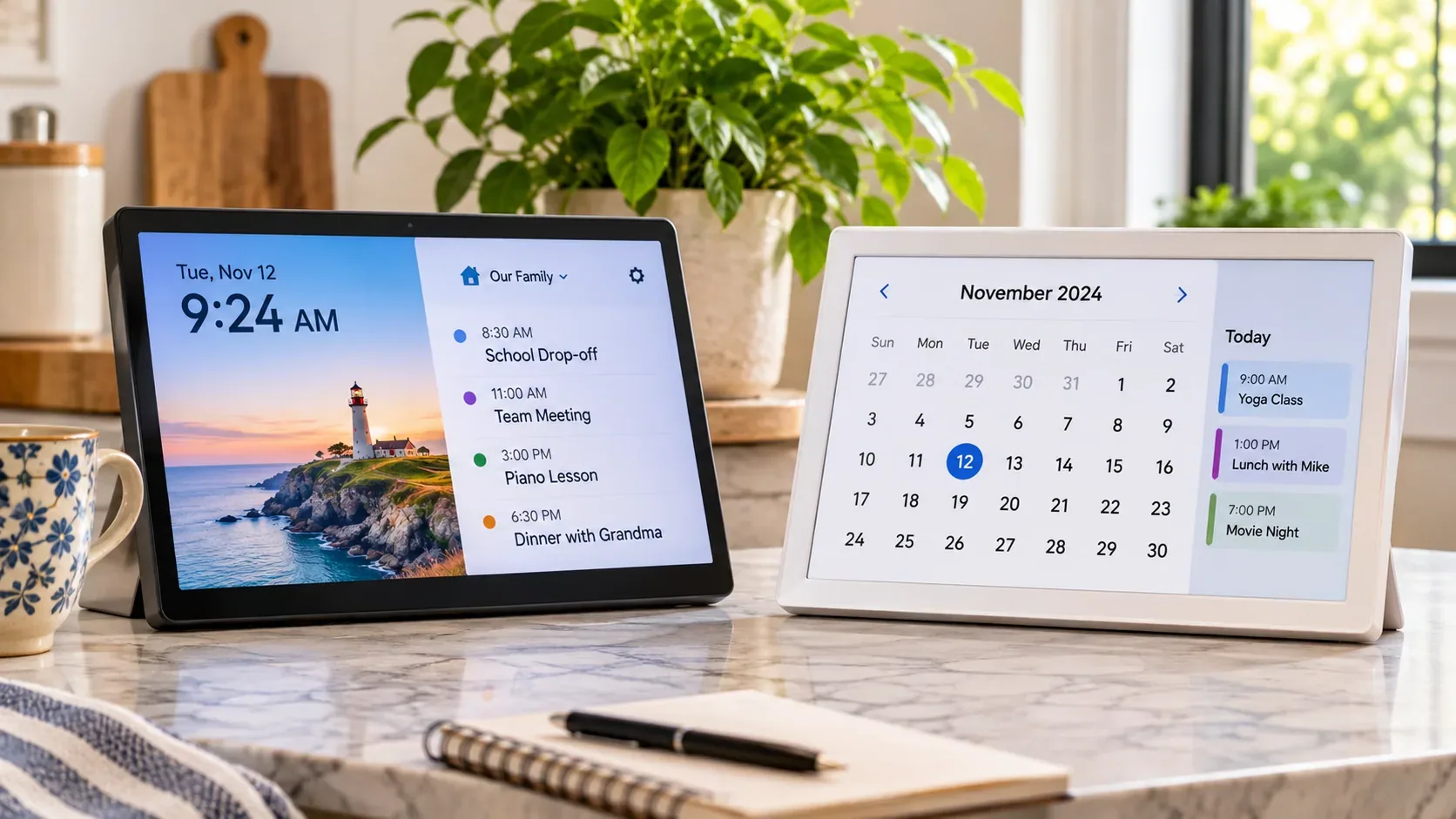
Keeping track of work meetings, school activities, appointments, and household chores can get messy when everyone has different plans. A shared digital calendar can help your family stay organized without constantly checking phones or rewriting schedules.
When comparing Everblog vs Skylight Calendar, you'll find that both brands have touchscreen displays, calendar syncing, and household planning tools. However, their screen sizes, subscription requirements, and extra features differ.
So, which one makes sense for your home?
This guide compares pricing, everyday features, setup requirements, and potential drawbacks. You can also explore smart calendar designs and features while deciding which functions matter to your family.
Everblog vs Skylight Calendar: What Are the Main Differences?
Both brands make digital calendars designed to keep family schedules visible in one place.
The biggest differences involve device placement, screen size, food management, and subscription costs.
Everblog has 2 established models: the 13.4-inch FridgeCal and the 21.5-inch HomeCal. FridgeCal attaches to a refrigerator and runs on a rechargeable battery, while HomeCal is designed for wall or desktop placement.
Skylight has several calendar options, including its 15-inch Calendar 2 and larger 27-inch Calendar Max. Its devices need continuous power through an electrical outlet.
Here's a quick comparison of the main features.
| Feature | FridgeCal / HomeCal | Skylight Calendar |
|---|---|---|
| Screen sizes | 13.4 and 21.5 inches | 15-inch Calendar 2 and 27-inch Max |
| Calendar syncing | Yes | Yes |
| Chore tracking | Included | Included |
| Meal planning | Included | Requires Plus |
| Rewards | Included | Requires Plus |
| Grocery lists | Included | Included |
| Food inventory tracking | Available | Not listed as a dedicated feature |
| Subscription | No monthly fee for main features | Optional Plus for selected features |
| Placement | Fridge, wall, or desktop, depending on model | Wall or countertop, depending on model |
Both products can handle basic family scheduling. Your decision will likely depend on where you want the display and which additional tools you'll actually use.
How Do Their Prices and Subscription Fees Compare?
Price is an important factor when choosing a smart family calendar, especially if you're trying to avoid recurring expenses.
Upfront Purchase Prices
The 13.4-inch FridgeCal is listed at $249, while the 21.5-inch HomeCal starts at $349 on the manufacturer's product collection page.
Skylight's 15-inch Calendar 2 has a listed starting price of $299.99 for its Classic style with a promotional month of Plus included.
These prices can change with promotions, configurations, and accessories.
Before comparing totals, check the available calendar models and pricing to confirm the current purchase price.
Do You Need a Monthly Subscription?
One major difference is how each brand handles premium features.
FridgeCal includes calendar syncing, chores, rewards, meal planning, and AI food management without a monthly subscription.
Skylight includes basic calendar syncing, tasks, and lists without requiring Plus. However, features such as meal planning, rewards, photo screensavers, and Magic Import are part of Skylight Calendar Plus.
Skylight currently advertises Plus at $79 per year after its introductory free month.
That means you can use Skylight without paying for Plus, but some family planning tools will remain unavailable.
If you're specifically looking for a digital calendar without subscription charges for meal planning and rewards, this difference deserves attention.
Which Calendar Has Better Screen Sizes and Placement Options?
A digital wall calendar needs to fit comfortably into your home.
Before buying, think about where your family naturally checks schedules.
Fridge and Kitchen Placement
The 13.4-inch FridgeCal uses a magnetic attachment system and rechargeable battery.
This makes it suitable for families who prefer keeping schedules directly on the refrigerator without a visible power cable.
The manufacturer estimates 3–5 days of use per charge, depending on usage conditions.
However, you'll need to remember to recharge it. A smaller display may also be harder to read from across a large kitchen.
You can review refrigerator calendar specifications to check its dimensions and charging requirements.
Wall and Countertop Placement
The 21.5-inch HomeCal provides a larger screen for households that want a permanent family calendar display.
It requires continuous power and can be positioned on a wall or desk.
Skylight's 15-inch Calendar 2 supports wall and countertop placement. Its 27-inch Calendar Max is designed specifically for wall mounting.
If screen visibility is your main concern, compare the viewing distance, available wall space, and outlet location before choosing.
A bigger display may be convenient, but it won't necessarily be the best fit for a smaller kitchen.
How Do Their Calendar Syncing Features Compare?
Both brands support popular scheduling services, making it easier to keep appointments in one shared location.
FridgeCal lists compatibility with Google Calendar, Apple Calendar, Outlook, Yahoo, Cozi, and TeamSnap.
Skylight supports Google Calendar, Apple Calendar, Outlook, Yahoo, Cozi, and other compatible calendar sources.
Both also provide mobile apps for checking and managing schedules away from the device.
What About Two-Way Syncing?
Two-way syncing means supported changes can move between your calendar device and a connected scheduling account.
A July 2026 software update added two-way Google Calendar syncing to FridgeCal, allowing supported changes to appear in both locations.
Skylight allows you to add and edit events directly on its touchscreen and manage connected calendars. However, editing behavior can depend on the calendar service and event type.
If you frequently change appointments, confirm the exact syncing functions for your preferred calendar provider.
Don't assume every connected app supports identical editing features.
Which Calendar Is Better for Chores and Family Tasks?
A digital chore chart can help family members track responsibilities without relying on handwritten reminders.
Both brands include chore management tools.
FridgeCal allows families to assign chores, mark tasks as completed, and use rewards to encourage participation.
Skylight includes a Tasks Manager for routines and household responsibilities. Its star-based rewards system requires Calendar Plus.
For families with younger children, rewards may help make daily responsibilities easier to follow.
However, the most useful system is one your children can understand and use consistently.
You can compare household task management features to see how chores fit alongside appointments and other activities.
If your family only needs a basic checklist, either brand may be sufficient without paying for additional features.
Which One Is Better for Meal Planning and Grocery Lists?
Meal planning is another area where the products differ.
Both can help families organize grocery lists, but their food-related functions aren't identical.
Food Tracking and Meal Planning
FridgeCal includes tools for managing food inventory, expiration reminders, grocery lists, and meal ideas.
Its AI-powered food management features can help you record items and identify ingredients already available in your kitchen.
These functions may be helpful if your family regularly plans meals around existing groceries.
You can examine the available food management tools to determine how they fit your shopping routine.
Skylight's Meal Planning Features
Skylight provides shared grocery lists as part of its included features.
With Calendar Plus, you can plan meals, save recipes, and use smart tools to create recipe ideas.
Skylight also includes Magic Import through Plus, allowing users to turn supported emails, PDFs, and images into calendar information.
This can be convenient for families handling school announcements, invitations, and activity schedules.
The better choice depends on your priorities.
If food inventory and expiration tracking matter most, FridgeCal has dedicated tools for those tasks. If importing event information from school emails is a priority, Skylight's Plus features may be useful.
What Are the Drawbacks of Each Calendar?
Neither product is perfect for every household.
Before purchasing, it's worth reviewing the practical limitations.
FridgeCal and HomeCal Drawbacks
The rechargeable FridgeCal needs periodic charging, which may be inconvenient if you prefer an always-powered display.
Its 13.4-inch screen may feel small for families who want to read detailed schedules from a distance.
HomeCal has a larger screen but needs continuous power and suitable placement space.
You can check installation and accessory requirements before deciding where to put either model.
Skylight Calendar Drawbacks
Skylight devices need to remain plugged into an outlet, limiting placement flexibility.
Although basic scheduling features are included, some tools require the annual Plus subscription.
The larger Calendar Max also requires sufficient wall space and cannot be placed on a countertop stand.
For either brand, you should also check Wi-Fi requirements, return policies, warranties, and software support.
Which Smart Calendar Should You Choose?
The best choice depends on how your family manages daily activities and which features you're willing to pay for.
Choose FridgeCal if:
- You prefer a rechargeable refrigerator display.
- You want food inventory and expiration tracking.
- You need meal planning and rewards without subscription fees.
- You have limited wall space.
Choose HomeCal if:
- You prefer a larger 21.5-inch display.
- You want a wall or desktop calendar.
- Your household needs shared schedules and kitchen planning tools.
Choose Skylight Calendar if:
- You prefer its 15-inch or 27-inch display options.
- You want customizable frames and display styles.
- You value Magic Import and its optional Plus features.
- You're comfortable paying for selected premium functions.
Before making your decision, think about your available space, the apps you already use, and your long-term budget.
If you're comparing devices for your household, review the current calendar options and specifications before purchasing.
Both brands can help keep family schedules visible and organized. The right one is the calendar that matches your household's habits without requiring features or expenses you don't need.