Lockin Smart Door Lock for Rentals: Security
Discover how Lockin smart door locks solve renter security needs with temporary access, no permanent installation, and flexible access control. Perfect for landlords and tenants seeking keyless entry solutions.
Renter-Friendly Smart Locks: Why Lockin Smart Door Locks Are Transforming Rental Security
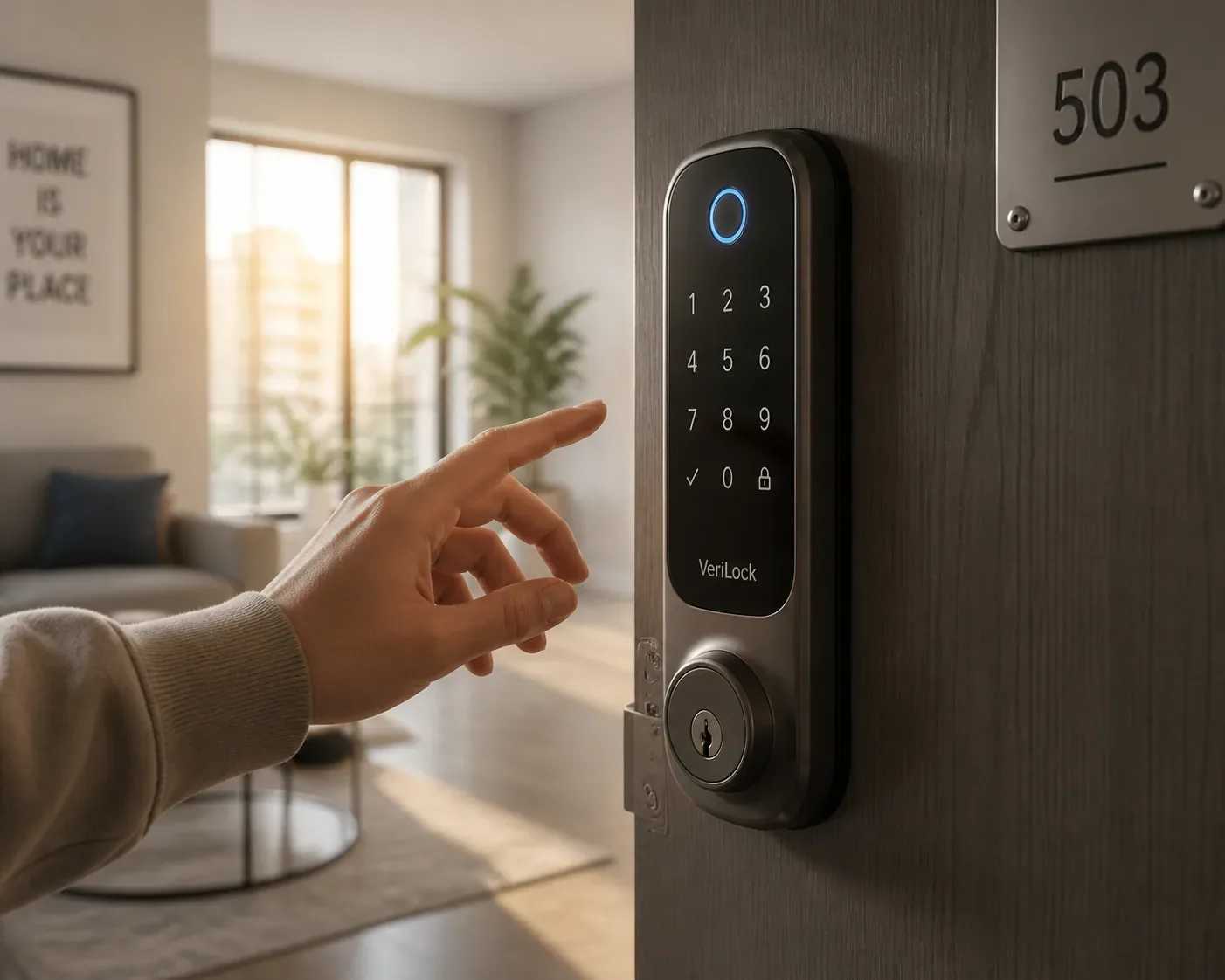
Renters face a frustrating reality that most landlords never consider: you want modern security and convenience, yet your lease prohibits permanent door modifications. This creates a security paradox where the people living in rental properties are locked into outdated key systems that don't reflect how they actually live. Lockin smart door locks have emerged as a genuine solution to this problem, fundamentally changing what's possible for rental properties and temporary housing situations.
Unlike traditional smart locks requiring permanent installation or door replacement, Lockin's design philosophy prioritizes renter constraints while delivering enterprise-grade security features. The system works within the boundaries landlords impose, eliminating the conflict between tenant desires and property management requirements. This approach has resonated strongly with both renters and landlords who recognize the operational advantages.
Discover how Lockin smart locks can transform your rental property security today.
Why Renters and Landlords Are Choosing Lockin Smart Locks Over Traditional Options
How Lockin Addresses the Renter Paradox
The renter paradox exists because traditional security systems assume permanent installation. When you rent, permanent modifications become negotiation points, potential lease violations, or causes for security deposit disputes. Lockin smart locks bypass this entirely through non-invasive installation that works with existing door infrastructure. Tenants get the security they want without risking their deposits, and landlords maintain property integrity.
The Shift From Physical Key Management to Digital Access Control
Physical keys represent an operational nightmare for rental properties. Each tenant turnover requires rekeying—an expensive, time-consuming process that leaves gaps in security. Keys get lost, copied without authorization, and distributed to unauthorized occupants. Digital access control eliminates these problems entirely. When a tenant moves out, you don't rekey the lock; you simply revoke their access instantly. Maintenance workers, cleaners, and emergency responders receive temporary passcodes that expire automatically.
Cost-Benefit Analysis: Lockin Locks Versus Rekeying and Master Key Systems
Consider the economics of property management. A single professional rekeying typically costs $75-$150 per lock. If you manage 10 units with annual turnover rates, that's $750-$1,500 yearly just for rekeying. Master key systems create security vulnerabilities because multiple people hold copies of the same key. Lockin smart locks eliminate rekeying costs entirely while improving security. The mid-range purchase price ($150-$350) pays for itself within one to two turnover cycles while delivering superior control and audit capabilities.
Tenant Satisfaction and Emergency Access
Modern renters expect keyless entry solutions. When you offer Lockin access, you're meeting expectations that candidates increasingly consider standard. Emergency situations become manageable without expensive locksmith dispatch. A tenant experiences a lockout, calls you, and you remotely unlock the door from anywhere. This responsiveness builds tenant retention and reduces emergency service costs significantly.
Landlord Peace of Mind With Activity Logs and Audit Trails
Activity logs represent a game-changing feature for property managers. Every access event is recorded—who accessed the property, when, and which method they used. This creates irrefutable documentation for lease disputes, security investigations, or liability situations. If a tenant claims they weren't home during an incident, the activity log provides definitive proof. Property managers gain transparency that physical key systems simply cannot provide.
Market Demand in Short-Term Rentals and Corporate Housing
Airbnb hosts and corporate housing providers have driven significant adoption of smart locks because managing frequent guest turnover with physical keys is impossible. With Lockin, you create unique temporary passcodes for each guest, track their access, and revoke it automatically when their stay ends. This operational efficiency attracts premium tenants willing to pay more for properties with smart access control.
Non-Invasive Installation as a Core Philosophy
Lockin's design prioritizes surface-mounted or compatibility with existing door hardware. This contrasts sharply with competitors requiring mortise installation, which involves drilling into door frames and removing existing mechanisms. For renters and landlords, this means security upgrades without door modifications that raise questions about reversibility or lease compliance.
Explore Lockin's renter-friendly smart lock options and find the perfect fit for your property.
Fingerprint and Biometric Access—Security That Moves With Your Tenants
Fast Biometric Unlocking Speeds
Lockin's fingerprint recognition typically operates in under one second. This speed eliminates the frustration tenants experience with slower biometric systems where they stand at their door waiting. Speed also matters practically—tenants carrying groceries, children, or packages need quick, friction-free access. The fast response rate reduces the temptation to prop doors open or leave keys hidden in insecure locations.
Accuracy and Environmental Performance
Fingerprint recognition accuracy rates typically exceed 99%, meaning false rejections are rare. Environmental factors do affect performance—wet fingers, dirt, or extreme cold can reduce accuracy temporarily. Lockin's system is designed to handle these real-world conditions gracefully. If biometric recognition fails, fallback access methods immediately become available, so tenants never experience a complete lockout.
Eliminating the Lost Key Problem
Lost keys have plagued rental properties forever. A tenant loses their key, calls you, and you face rekeying costs and security questions about who might have found that key. Fingerprints cannot be lost, forgotten at work, or dropped on the sidewalk. This single feature eliminates an entire category of rental property problems that property managers deal with constantly.
Multiple Fingerprint Enrollment
Lockin systems allow enrollment of multiple fingerprints for different household members, roommates, family members, and authorized guests. Each person gets independent access they can use without shared keys or passwords. This flexibility is essential for modern rental situations where households aren't always traditional families or long-term roommate arrangements.
Biometric Data Storage and Privacy
Tenant privacy matters. Lockin stores fingerprint data locally on the lock using encryption standards, not on cloud servers where data breaches could expose personal biometric information. This design choice means tenant privacy is protected by default, addressing legitimate concerns about biometric surveillance or unauthorized data collection.
Fallback Access Methods
Fingerprint recognition is the primary access method, but it's not the only one. PIN codes, NFC cards, app-based unlock, and mechanical key backup ensure that system failures never trap tenants outside their homes. This redundancy creates genuine security through multiple independent access pathways.
Non-Duplicable Biometric Security
A fundamental security advantage: fingerprints cannot be copied, duplicated, or forged the way keys can be. A key holder can easily make unauthorized copies without detection. Fingerprints are uniquely tied to specific individuals and cannot be reproduced. This eliminates entire categories of security vulnerabilities that plague traditional key systems.
Hygiene and Wear in High-Traffic Properties
High-traffic rental properties with frequent guest access benefit from biometric systems that don't require physical contact with keys or card readers. Fingerprints never wear out, never need replacement, and never transmit bacteria or viruses. In post-pandemic rental markets where hygiene concerns remain relevant, this advantage resonates with both tenants and property managers.
Temporary Passcodes and Guest Access—Flexibility for Modern Rental Living
Time-Limited PIN Codes for Service Providers
Creating temporary passcodes for cleaners, maintenance workers, and service providers represents a core operational advantage. Rather than distributing physical keys that might be lost or duplicated, you generate unique PIN codes with specific expiration dates. A cleaning service gets access on Tuesday from 10 AM to 2 PM. When that window closes, their access expires automatically without additional action from you.
One-Time Passcodes Versus Recurring Access
Different situations require different access patterns. An emergency plumber needs one-time access on a specific day. A weekly cleaning service needs recurring access every Tuesday. Lockin supports both models. The flexibility means you're not forced to choose between either/or solutions; instead, you match the access type to the actual use case.
Remote Access Without Shared Passwords
Property managers can grant access instantly without being physically present or sharing master passwords. This solves a critical problem: how do you give someone temporary access without compromising your own access credentials? Remote access means you maintain control while enabling others to do their jobs independently.
Guest Access for Airbnb and Short-Term Rentals
Airbnb hosts can invite guests to unlock doors using the mobile app without key distribution. Each guest gets a unique access identifier that expires when their reservation ends. This system scales perfectly for frequent turnover situations where distributing and recovering physical keys would be logistically impossible.
Automatic Passcode Expiration and Revocation
When a tenant moves out, their passcodes simply stop working at the lease end date. No rekeying required. No manual revocation steps necessary. No risk of former tenants retaining access. Automation eliminates the operational steps that frequently cause security oversights in property management.
Customizable Access Windows
Access controls can be customized to specific hours, days, or date ranges. A maintenance contract might specify access only between 9 AM and 5 PM on weekdays. A pet sitter might get 15-minute access windows at noon and 6 PM. These granular controls ensure people have access exactly when they need it, nothing more.
Real-Time Notifications
Property managers receive notifications whenever temporary passcodes are used. This creates accountability and allows monitoring of when service providers actually arrived and completed work. These notifications also serve as early warning systems if someone tries to access the property outside their authorized window.
Reducing Liability and Security Risks
Physical key distribution introduces liability. If a key is lost and someone uses it for unauthorized entry, who bears responsibility? Digital access through temporary passcodes creates clear accountability trails. Each access event is timestamped and attributed to a specific passcode. This documentation reduces ambiguity in security incidents and protects property managers legally.
App-Based Remote Access and Activity Logs—Transparency for Property Managers
Smartphone Control From Anywhere
Lockin mobile apps enable remote unlocking from anywhere with internet connectivity. You're at a coffee shop, and a maintenance emergency arises at one of your properties. Rather than rushing back or calling someone else, you unlock the door remotely from your phone. This capability transforms property management from location-dependent to location-independent.
Real-Time Notifications and Door Status
Instant notifications alert you when doors are locked, unlocked, or accessed. These alerts provide real-time awareness of property activity. If a door gets accessed at an unusual hour, you're notified immediately and can investigate. This continuous monitoring capability transforms how property managers approach security.
Comprehensive Activity Logs
Activity logs record every access event: who accessed the property, when, and which method they used. This creates a detailed security ledger that's invaluable for investigations, lease disputes, or compliance documentation. If a tenant claims damages occurred on a date when no one accessed the property, the activity log provides proof.
Historical Data for Audits and Investigations
Months of historical access data remain available for review. Property managers investigating theft, unauthorized occupation, or other incidents can examine activity logs to understand exactly when and how the property was accessed. This forensic capability is impossible with physical key systems.
Remote Access During Emergencies
Emergency situations—lockouts, maintenance needs, or security concerns—become manageable without dispatch costs. Rather than calling a locksmith for $150-$300, you unlock the door remotely immediately. For property managers, this emergency access capability generates significant cost savings annually.
Geofencing for Automatic Access
Some Lockin implementations support geofencing, where doors automatically unlock when tenants approach their homes. This eliminates the need to manually unlock after a long day at work or hands-free entry when carrying groceries. The convenience factor improves tenant satisfaction substantially.
Battery Status Monitoring
Continuous monitoring of battery levels prevents unexpected lockouts from dead batteries. Low-power alerts give property managers and tenants advance warning to replace batteries before the lock becomes inoperable. This preventive approach eliminates an entire category of emergency situations.
Multi-User Access Permissions
Different users have different roles and permission levels. A tenant can unlock and lock their own door. Maintenance personnel can access only when scheduled. Property managers have comprehensive access to all units under their management. This role-based access control ensures people have exactly the permissions they need, nothing more.
Installation Realities—What Renters Need to Know Before Purchasing
Surface-Mounted Versus Mortise Lock Compatibility
Installation complexity depends on your door's existing lock configuration. Surface-mounted locks attach to the door exterior without requiring modifications to the door frame. Mortise locks require routing into the door frame, which is more complex. Lockin's design often accommodates surface-mounted installation, but verify compatibility with your specific door before purchasing.
Step-by-Step Installation Process
Basic installation typically involves removing the existing exterior lock cylinder, installing Lockin's exterior mechanism, connecting it to the interior mechanism, and testing. The process generally takes 30-60 minutes for experienced installers. DIY installation is possible if you're comfortable working with basic tools and mechanical components.
Professional Installation Considerations
Professional installation costs typically range from $100-$200 beyond the lock purchase price. For renters, professional installation eliminates landlord approval concerns because a licensed installer handles the work. For landlords managing multiple properties, professional installation ensures consistent, correct setup across all units.
Door Thickness and Material Requirements
Lockin locks are designed to work with standard doors—typically 1.3-1.8 inches thick. Metal, wood, and composite doors are all compatible, but verify your specific door meets specifications. Glass doors or non-standard thicknesses may require additional adapters or modifications.
Compatibility With Existing Door Frames and Hinges
Most Lockin installations work with standard door frames and hinges without modification. However, some specialized door configurations might present compatibility issues. Measure your door frame and check against installation requirements before purchasing.
Reversibility Without Permanent Damage
A key renter consideration: can you remove Lockin locks and restore the door to its original state? The answer is yes—Lockin locks are designed for removal without permanent damage. The original lock mechanism can be reinstalled if needed. This reversibility is essential for rental properties where landlords require restoration when tenants move out.
Tools and Skills Required
Basic installation requires a screwdriver, possibly a drill for existing lock removal, and comfort with mechanical components. Advanced DIY skills aren't necessary. Renters without mechanical experience might prefer professional installation to ensure correct setup.
Installation Timeline
Plan on 30-60 minutes for basic installation. If you encounter complications—seized lock cylinders, non-standard door configurations, or unexpected issues—installation might extend to 2-3 hours. Professional installers typically complete the work in a single visit.
Common Installation Mistakes
The most frequent mistake is incorrect alignment between exterior and interior components, which prevents smooth operation. Another common issue is failing to test the lock thoroughly after installation before the installer leaves. Avoid these problems by following instructions carefully and testing extensively before considering installation complete.
Landlord Approval Documentation
Renters should inform landlords before installing smart locks. Provide documentation showing that Lockin locks are reversible and don't damage doors. Most landlords appreciate the security upgrade, especially if they retain access through the mobile app.
Battery Life, Connectivity, and Reliability in Rental Environments
Battery Types and Expected Lifespan
Lockin smart locks typically use standard AA or AAA batteries, depending on the model. Expected battery life is usually 6-12 months under normal use, though heavy usage or extreme temperatures can reduce this. The advantage of standard batteries is that replacements are inexpensive and available everywhere.
Low-Battery Alerts
Lockin systems continuously monitor battery levels and alert users well before power depletion. These proactive notifications give tenants and property managers time to replace batteries before the lock becomes inoperable. This preventive approach virtually eliminates lockouts caused by dead batteries.
Backup Power Options
Emergency backup power through external power adapters ensures that even if batteries completely deplete, the lock remains functional for emergency access. This redundancy protects against worst-case scenarios where batteries fail unexpectedly.
Wi-Fi Versus Bluetooth Connectivity
Wi-Fi-enabled models provide remote access from anywhere but require a stable internet connection and potentially additional setup. Bluetooth models work over shorter distances but don't require Wi-Fi installation. Each approach has trade-offs; choose based on your connectivity requirements and infrastructure.
Offline Functionality
Lockin locks function without internet connectivity. Tenants can unlock doors using fingerprints, PIN codes, or mechanical keys even if the internet is down. App-based remote access requires connectivity, but core access methods remain available offline. This reliability is essential for rental properties where service interruptions can't prevent residents from accessing their homes.
Durability in High-Traffic Environments
Rental properties experience heavy door usage from multiple occupants, guests, and service providers. Lockin locks are engineered to withstand thousands of unlock cycles. The biometric scanner, mechanical components, and battery system are designed for reliability in high-traffic situations.
Weather Resistance and Temperature Tolerance
Exterior doors experience temperature extremes and weather exposure. Lockin locks are rated for wide temperature ranges and weather resistance. Fingerprint recognition remains accurate in cold weather, rain, and other environmental challenges. This durability ensures consistent performance regardless of climate conditions.
Warranty Coverage and Support
Lockin provides warranty coverage on its smart locks. Review specific warranty terms to understand coverage duration, what's included, and what constitutes user damage versus manufacturer defects. Rental property use is typically covered under standard warranties.
Backup Mechanical Key Access
Every Lockin lock includes mechanical key backup access, ensuring emergency entry is always possible even with complete power loss and dead batteries. This backup system provides absolute security against technological failures.
Comparing Lockin to Other Smart Lock Options for Renters
Lockin V5 Series Versus Competitors
The Lockin V5 series is the brand's flagship offering, featuring fingerprint recognition, PIN codes, app control, and optional NFC card access. Competitors like Level Lock offer hidden smart locks that fit inside existing door mechanisms. Wyze provides budget smart locks with limited feature sets. Aqara offers home automation integration but higher price points. Lockin V5 balances features, price, and renter accessibility effectively.
Price Comparison Across Options
Lockin locks typically range from $150-$350. Budget alternatives like Wyze start around $80-$100 but offer fewer features. Premium brands like Level Lock or high-end August locks exceed $400. Mid-range positioning means Lockin offers substantial features without premium pricing, making it accessible for most rental properties.
Feature Parity Analysis
Most modern smart locks offer fingerprint recognition, app control, temporary access codes, and activity logs. Where they differ is in execution—fingerprint speed, app reliability, activity log detail, and ease of use. Lockin performs competitively or better across these dimensions compared to other renter-focused options.
Design Aesthetics
Lockin's minimalist design with built-in handles appeals to modern apartment aesthetics. Some competitors offer more traditional lock appearances, while others hide mechanisms entirely within door frames. Choose based on whether you prefer visible smart lock design or hidden mechanisms.
Customer Support Quality
Property managers report positive experiences with Lockin customer support, particularly for rental property-specific questions. Response times are reasonable, and support staff understand rental scenarios. Compare support experiences across brands based on your specific needs and communication preferences.
Return Policies and Satisfaction Guarantees
Most smart lock manufacturers offer 30-day return policies and money-back guarantees if you're unsatisfied. This eliminates purchase risk. Test a Lockin lock on a non-critical door, verify it meets your expectations, then deploy more broadly if satisfied.
Smart Home Ecosystem Integration
Lockin integration with Apple Home, Google Home, and Alexa varies by model and region. If smart home automation matters to your situation, verify compatibility with your existing ecosystem before purchasing. Some competitors offer tighter integration than others.
Long-Term Reliability Data
User reviews from property managers with Lockin locks consistently report positive experiences with long-term reliability. Some locks function continuously for 2-3 years without issues. Collect reviews from similar property types and use cases rather than relying on generic consumer reviews.
Security Considerations—What Renters Should Understand About Smart Lock Vulnerabilities
Biometric Spoofing and False Match Prevention
Could someone unlock your door using a fake fingerprint? Lockin's fingerprint recognition technology uses multiple authentication layers beyond simple pattern matching. The system analyzes fingerprint depth, pore structure, and three-dimensional characteristics that make spoofing extremely difficult. Sophisticated biometric spoofing requires specialized materials and techniques beyond realistic threat scenarios in rental properties.
App Security and Encryption Standards
The Lockin mobile app uses encryption standards that protect communication between your phone and the lock. Access credentials are not stored in plain text and transmitted securely. The same encryption standards that protect banking apps protect Lockin remote access. Review security documentation to understand specific encryption protocols used.
Firmware Updates and Security Patches
Lockin periodically releases firmware updates that address security vulnerabilities and improve functionality. These updates are essential for maintaining security over time as potential vulnerabilities are discovered industry-wide. Establish a practice of installing firmware updates when released to maintain current security protections.
Default Password Risks
Your PIN code and app credentials should never be shared widely or use default values. Create strong, unique PIN codes that aren't obvious (not your birth year, 1234, etc.). Change default passwords and credentials during setup. These basic security practices prevent common access vulnerabilities.
Mechanical Key Backup Security
The mechanical key backup should be stored securely, ideally in a safe or with a trusted person off-site. Don't hide it under doormats, planters, or other obvious locations. Treat the backup key with the same security you'd apply to your original house key.
Network Security for Wi-Fi Models
Wi-Fi-enabled locks connect to your home network. Ensure your Wi-Fi network uses strong encryption (WPA2 or WPA3) and unique passwords. This prevents unauthorized network access that could potentially compromise the lock. Treat your smart lock like any other networked device on your home security.
Physical Tampering and Forced Entry
Lockin locks include high-security lock bodies designed to resist forced entry. The mechanical cylinder and housing are engineered for durability against physical attacks. While no lock is absolutely tamper-proof, Lockin's construction is competitive with high-security mechanical locks.
Privacy and Activity Log Access
Consider who can access activity logs. For tenant-occupied properties, clarify whether tenants can view their own access logs or if only landlords have access. Privacy policies should clearly explain data retention, who accesses logs, and how long data is maintained.
Cost Analysis—Is a Lockin Smart Lock Worth It for Rental Properties?
Upfront Purchase Costs
Lockin V5 series locks range from $150-$350+ depending on features and region. This represents a significant upfront investment compared to mechanical locks. However, the investment pays for itself through operational savings over just a few years.
Installation Expenses
DIY installation costs only the price of basic tools you likely already own. Professional installation runs $100-$200 per lock. For landlords managing multiple properties, professional installation ensures consistent quality and might be worth the additional cost.
Maintenance and Battery Replacement
Battery replacement costs $5-$15 per set, occurring every 6-12 months. This minimal ongoing expense is far cheaper than emergency locksmith calls or key replacement programs. Beyond batteries, maintenance is minimal—smart locks have few moving parts compared to traditional locks.
Savings From Reduced Rekeying
Professional rekeying typically costs $75-$150 per lock. If your property experiences annual tenant turnover, eliminating rekeying saves $75-$150 yearly per lock. For a 10-unit property with 70% annual turnover, that's $525-$1,050 in annual savings. Over a five-year period, smart lock investment costs pay for themselves.
Operational Efficiency Gains
Property managers handling multiple units save countless hours by remotely managing access rather than scheduling locksmith appointments, distributing physical keys, and managing key returns. These efficiency gains are difficult to quantify but represent substantial value. Managers report spending significantly less time on access-related problems after switching to smart locks.
Insurance Implications
Some insurance providers offer modest discounts for properties with smart security systems. Contact your insurance agent about potential savings. Even small discounts improve the ROI on smart lock investment.
Resale Value and Rental Rate Premium
Properties with smart locks attract tech-savvy tenants willing to pay premium rents. Some markets show 5-10% rental premiums for properties featuring smart locks and security systems. Property managers report higher occupancy rates and faster lease periods with smart locks as an amenity.
ROI Timeline
For landlords managing properties with annual turnover, smart lock investment typically breaks even within 2-3 years based on rekeying cost savings alone. Add operational efficiency gains and reduced emergency service calls, and ROI improves significantly. The investment pays for itself through quantifiable savings, not theoretical benefits.
Real-World Scenarios—How Renters Actually Use Lockin Smart Locks
Scenario 1: Airbnb Hosts Managing Frequent Guest Turnover
An Airbnb host managing 3-4 short-term rentals would struggle with physical key management. Creating unique temporary passcodes for each guest eliminates key distribution. Access automatically expires when reservations end. Hosts report dramatically simplified operations and improved guest satisfaction when keyless entry eliminates frustrating key pickup processes.
Scenario 2: Corporate Housing Providers
Corporate housing providers manage units for relocating employees, usually on 6-12 month leases. Frequent turnover requires repeated rekeying with traditional locks. Smart lock temporary access codes eliminate rekeying, reduce turnover costs, and enable flexible access periods that match lease timelines precisely.
Scenario 3: Roommate Situations
Multiple roommates with independent schedules benefit from biometric access that doesn't require sharing keys or codes. Each person uses their own fingerprint to access the apartment. No worrying about roommates losing keys, making unauthorized copies, or controlling shared access mechanisms.
Scenario 4: Emergency Lockout Prevention
A tenant accidentally locks themselves out of their apartment. With traditional locks, they call a locksmith and wait 30-60 minutes while paying $150-$300. With Lockin, they call the landlord, who remotely unlocks the door within minutes. The emergency resolves instantly without expensive service calls.
Scenario 5: Property Managers With 50+ Units
A property manager overseeing 50 units would manage dozens of tenant lockouts, maintenance access requests, and rekeying appointments annually with traditional locks. With centralized smart lock management through a mobile app, the manager handles access control from anywhere, eliminating geographic constraints on property management.
Scenario 6: Instant Revocation on Tenant Moveout
A tenant's lease ends on a Friday. With traditional locks, the landlord schedules rekeying for Monday or later in the week, leaving the property vulnerable over the weekend. With Lockin, the tenant's access is revoked at 11:59 PM Friday. Access is completely eliminated instantly without additional actions or costs.
Scenario 7: Lease Disputes Resolved With Activity Logs
A tenant disputes damage claims, insisting they weren't present when alleged damage occurred. The activity log provides timestamped proof of exactly when the property was accessed and by whom. This documentation protects the landlord legally and settles disputes objectively.
Scenario 8: Pet Sitters and Dog Walkers
A tenant needing regular pet care grants temporary access to pet sitters with specific time windows. The sitter receives a 15-minute access window at noon and 6 PM daily. When the arrangement ends, access expires automatically. The system creates accountability and security while enabling flexible service access.
Setup, Troubleshooting, and Customer Support
Initial Setup Process
Setup begins with physical lock installation and mechanical testing. Next, download the Lockin mobile app and create an account. Pair the lock with your smartphone via Bluetooth. Enroll fingerprints into the system through the app interface. Create a PIN code backup. Test all access methods thoroughly. Complete setup typically takes 30-45 minutes for tech-comfortable users.
Common Setup Errors and Resolution
Bluetooth pairing fails when the phone is too far from the lock or other Bluetooth devices interfere. Solution: eliminate interference sources, restart the lock, and retry pairing closer to the lock. App connectivity issues resolve by reinstalling the app or resetting network settings. App support documentation addresses the most common setup problems with clear troubleshooting steps.
Resetting Forgotten Credentials
If you forget your PIN code or lose app access, the mechanical key backup allows entry. Once inside, you can reset credentials using button combinations on the lock or through the app after re-pairing. Never lock yourself out completely by losing the backup key; store it securely off-site.
Fingerprint Recognition Troubleshooting
Fingerprint failures occur when fingers are wet, dirty, or cold, or when the scanner needs calibration. Solution: dry your finger and try again. If multiple failures occur, the sensor might need cleaning with a soft cloth. Some fingers require re-enrollment if initial enrollment was poor quality. The app provides calibration tools for sensor adjustment.
Contacting Lockin Customer Support
Lockin provides customer support through email, phone, and in-app messaging. Response times are typically 24-48 hours for email inquiries and immediately available for phone support during business hours. Support staff are knowledgeable about rental scenarios and common property management questions.
Warranty Claims and Replacement Procedures
Locks are covered under warranty for manufacturer defects. Contact support with details of the issue, potentially including photos or videos. Support determines if issues are warranty-covered or user-caused damage. Approved warranty claims receive replacement locks or repair services. The process typically takes 1-2 weeks from claim submission to resolution.
Community Forums and Peer Support
Lockin maintains community forums where users share solutions to common problems. These peer-to-peer resources often provide faster answers than official support for well-documented issues. Property managers share rental-specific tips and troubleshooting approaches with other users.
Software Updates and Installation
Lockin periodically releases firmware updates that enhance security and functionality. Updates are installed through the mobile app automatically or with one-tap approval. During updates, the lock remains operable through mechanical access and backup methods. Updates typically take 5-10 minutes to complete.
Moving Forward: Making the Smart Lock Decision for Your Rental Situation
Lockin smart door locks represent a genuine shift in how renters and landlords approach property security. The combination of biometric reliability, temporary access flexibility, and transparent activity logs creates a security ecosystem that benefits everyone in the rental relationship. Whether you're a tenant seeking independence from physical keys, a landlord managing multiple properties, or a property manager handling frequent turnover, Lockin's V5 series delivers the balance between convenience and security without requiring permanent door modifications.
The mid-range pricing ($150-$350) positions these locks as genuinely accessible for rental properties. Installation is straightforward enough for DIY approaches or professional installation if you prefer certainty. Battery maintenance is minimal. The activity logs and remote access features address operational problems that property managers face constantly.
Your next step is straightforward: assess your specific rental situation and verify door compatibility. Test the installation process on a non-critical door first. Read user reviews from renters and property managers with similar setups, then invest with confidence knowing you're upgrading to a security system that adapts to modern rental life.
Get started with Lockin smart door locks and experience renter-friendly security today.