
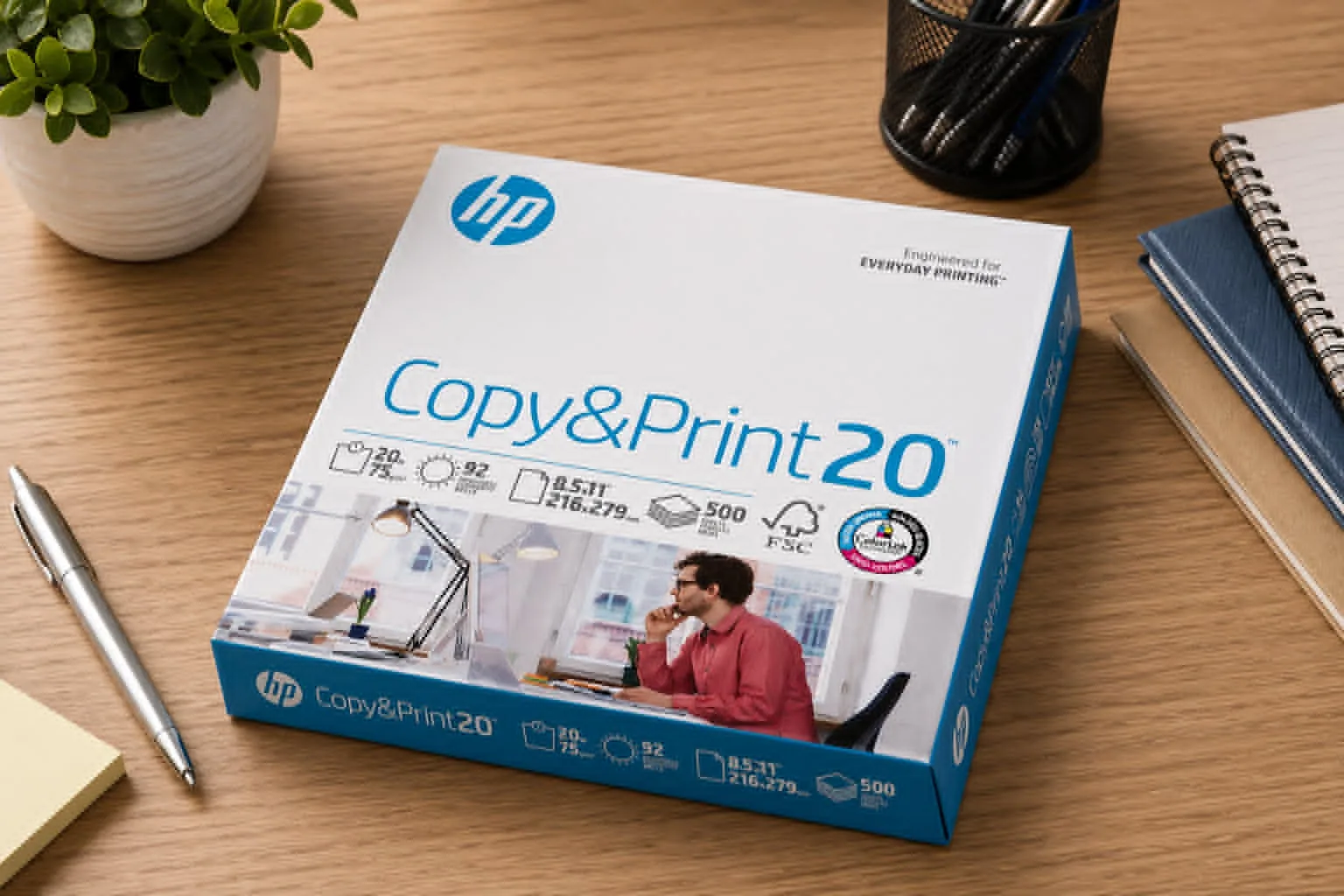
A printer can only perform as well as the paper you feed into it, and that’s where HP Printer Paper stands out. From everyday reports to presentation-quality documents, the right paper can make text sharper, colors richer, and printing more reliable.
HP has built a strong reputation for producing paper designed to work smoothly with modern printers while maintaining consistent quality across a wide range of applications.
If you print regularly at home, in a classroom, or in a busy office, choosing the right paper weight and finish can save time and improve results. HP offers several paper options that balance affordability, durability, and print quality. The lineup includes products for routine printing, professional documents, and premium projects that require a more substantial feel.
HP Printer Paper Product Range and Pricing
One of the strengths of HP Printer Paper is the variety available. Each product line targets a specific type of user and printing task.
| Product Line | Paper Weight | Typical Price Range* | Best For |
| HP Copy & Print20 | 20 lb | $6.97–$10.99 | Everyday documents and basic printing |
| HP Office20 | 20 lb | $9.49–$11.99 | Office reports and business documents |
| HP MultiPurpose20 | 20 lb | $9.92–$12.99 | Mixed printing needs |
| HP All-In-One22 | 22 lb | $12.16–$15.89 | Multifunction printers and higher-quality output |
| HP Premium24 | 24 lb | $24.99–$28.99 | Professional presentations |
| HP Premium32 | 32 lb | $39.99–$41.19 | Premium documents and client-facing materials |
*Pricing may vary by retailer and promotions. Recent listings show HP Copy & Print20 starting around $6.97 for a 500-sheet ream, while HP All-In-One22 is commonly available from about $12.16 per ream.
HP Copy & Print20
This is the most budget-friendly option in the lineup. During testing for routine office tasks such as invoices, drafts, and school assignments, the paper fed consistently and produced clear text. It remains one of the most popular choices for high-volume printing.
HP Office20
Designed for professional environments, HP Office20 offers dependable performance for reports, internal documents, and everyday business communication. It provides a good balance between cost and consistency.
HP MultiPurpose20
If your printing needs change throughout the day, this multipurpose paper offers flexibility. It performs well with both text-heavy documents and color graphics.
HP All-In-One22
The additional weight gives documents a more substantial feel. This option works especially well for presentations, proposals, and marketing materials created on multifunction printers.
HP Premium24 and Premium32
These heavier paper options are intended for users who want a premium look and feel. The thicker stock reduces show-through and gives printed materials a more professional appearance.
Advanced Printing Technology
ColorLok Technology Benefits
A key feature across many HP paper products is ColorLok Technology. This technology helps improve print quality in several ways:
- Darker, bolder black text
- More vibrant color output
- Faster drying times
- Sharper image reproduction
In practical use, color charts and presentation graphics appear more defined compared to standard economy paper. This can be especially useful when printing business proposals or classroom materials that rely on color-coded information.
Paper Specifications and Performance
HP offers multiple paper weights to suit different applications:
- 20 lb: Standard copy paper for everyday use
- 22 lb: Improved durability and print quality
- 24 lb: Premium business documents
- 32 lb: High-end presentations and reports
Additional specifications include:
- Brightness ratings between 92 and 100
- Standard letter size (8.5 x 11 inches)
- 500 sheets per ream
- Approximately 5 pounds per ream
Higher brightness ratings can improve readability and make colors appear more vibrant. For professional documents, many users prefer brightness levels of 96 or higher.
Compatibility With Printers
One of the biggest advantages of HP Printer Paper is broad compatibility.
You can use it with:
- HP printers
- Canon printers
- Epson printers
- Brother printers
- Xerox printers
- Most laser and inkjet models
This versatility makes it a practical office printing paper solution for workplaces with multiple printer brands.
Inkjet and Laser Performance
Many users ask if the same paper works for both technologies. In most cases, the answer is yes.
Inkjet paper performance:
- Produces crisp text
- Handles color printing well
- Supports everyday graphics
Laser printer paper performance:
- Resists curling
- Maintains sharp text edges
- Feeds smoothly through high-speed devices
The result is fewer paper jams and more consistent output across different machines.
Environmental Features
HP places significant emphasis on sustainability.
Many HP paper products include:
- Acid-free construction
- Recyclable materials
- FSC-certified sourcing
- Long-term archival quality
These features help reduce environmental impact while maintaining document durability. FSC certification verifies that materials come from responsibly managed forests.
Customer Ratings and Real-World Feedback
HP paper products consistently receive strong customer reviews, with many products averaging around 4.8 out of 5 stars across major retailers. Users frequently highlight:
Pros
- Reliable feeding performance
- Strong print clarity
- Consistent sheet quality
- Broad printer compatibility
- Good value for everyday printing
Potential Drawbacks
- Premium lines can cost significantly more
- Heavier weights may be unnecessary for routine printing
- Bulk purchases require additional storage space
For most households and offices, HP Copy & Print20 or HP Office20 provide the best balance of quality and affordability. Users who frequently print client presentations may find the Premium24 or Premium32 options worth the additional cost.
Frequently Asked Questions
Which HP paper is best for everyday printing?
HP Copy & Print20 is typically the most economical choice for routine printing tasks, including reports, homework, and office documents.
Is HP Printer Paper suitable for double-sided printing?
Yes. Most HP paper products support duplex printing and maintain good opacity, especially the heavier 22 lb, 24 lb, and 32 lb options.
Does ColorLok Technology make a noticeable difference?
For many users, yes. Text appears darker, colors look richer, and prints dry more quickly than on standard paper.
Conclusion
HP Printer Paper offers a well-rounded selection for everything from everyday document printing to premium business presentations. The range of paper weights, strong printer compatibility, and ColorLok Technology make it a dependable choice for home users, students, and professionals alike.
While the premium options cost more, they deliver a noticeable improvement in appearance and feel for important documents.
If you're comparing paper options, it’s worth checking current prices and availability on Amazon. You may also want to explore related products, including specialty photo paper, premium presentation paper, and other multipurpose paper options that match your printing needs.