
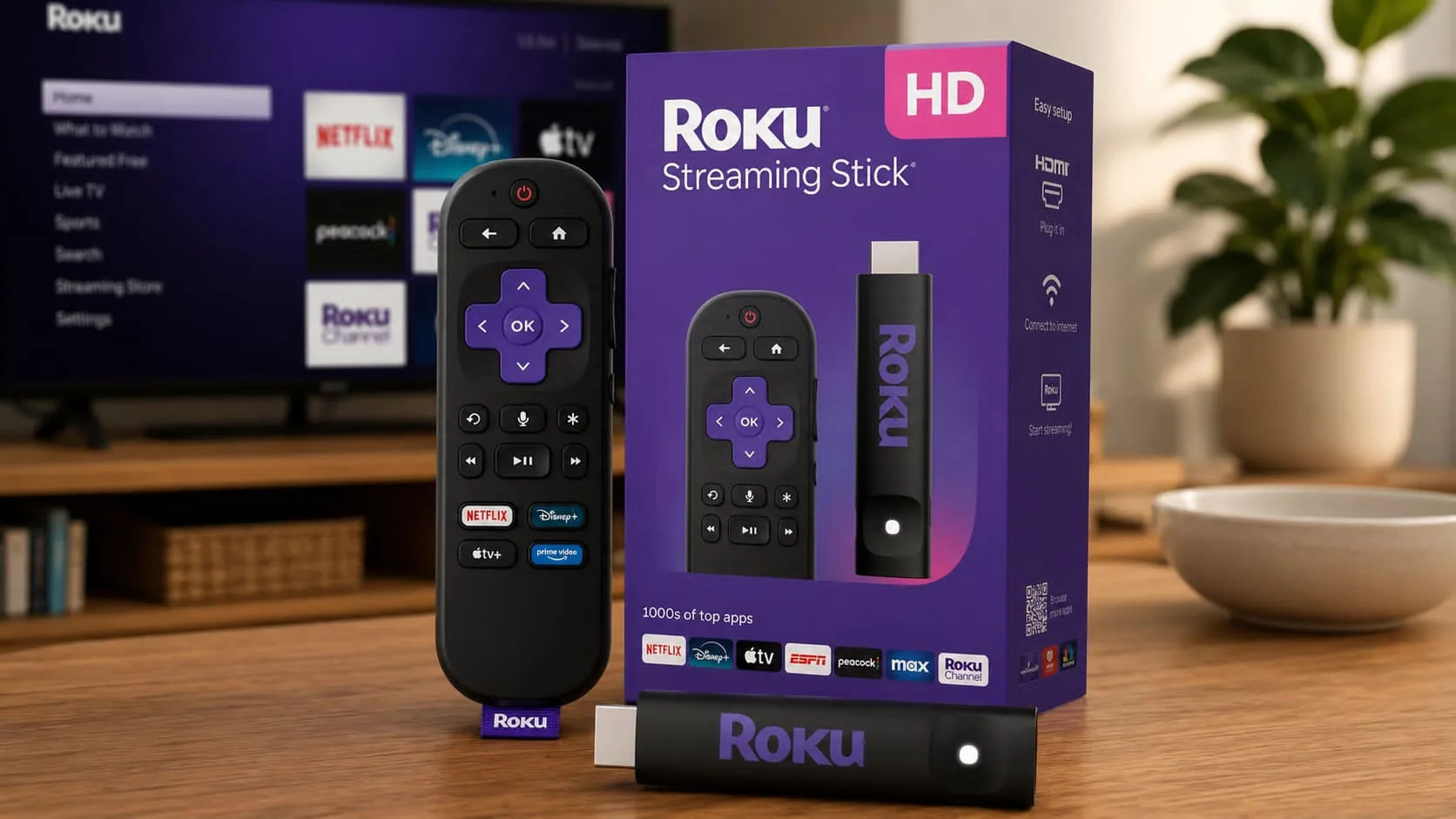
Streaming devices have become one of the easiest ways to improve your entertainment setup, and the Roku Streaming Stick HD proves that you do not need to spend a lot to enjoy a better viewing experience.
Small enough to hide behind your TV and simple enough to set up in minutes, this compact streamer focuses on the essentials that many households actually use every day.
If your television tops out at 1080p, paying extra for premium 4K features may not make much sense. That is where Roku's entry-level streaming stick stands out. It offers access to thousands of streaming apps, hundreds of free live TV channels, voice controls, and support for popular smart home platforms at a budget-friendly price.
After spending time with devices in this category, one thing becomes clear: ease of use matters as much as performance. Roku continues to earn a strong reputation because its interface stays straightforward and easy to navigate, even for first-time users. Here’s
Roku Streaming Stick HD Features and Specifications
The Roku Streaming Stick HD is designed for users who want reliable Full HD streaming without extra complexity.
| Feature | Details |
| Resolution | Full HD 1080p |
| Connectivity | Wi-Fi 4 |
| Remote | Roku Voice Remote |
| Power Source | USB-C powered |
| Smart Home Support | Alexa, Google Assistant, Apple AirPlay 2, HomeKit |
| Content Access | 500+ free live TV channels and thousands of apps |
| Connection Type | HDMI Streaming Stick |
| Ethernet Support | No |
| HDR Support | No |
| 4K Support | No |
One of the biggest advantages is its compact design. The stick plugs directly into your TV's HDMI port and can often draw power from the television's USB port, reducing cable clutter and eliminating the need for an extra wall outlet.
Easy Setup and Everyday Use
Setting up this streaming stick for TV takes only a few minutes.
- Plug the device into an HDMI port.
- Connect the USB-C power cable.
- Join your Wi-Fi network.
- Sign in to your Roku account.
- Start streaming.
The Roku OS remains one of the easiest streaming platforms to use. Apps are organized clearly, navigation feels intuitive, and finding content rarely requires digging through complicated menus.
During everyday testing, app launching felt responsive enough for casual viewing. Popular services like Netflix, Disney+, Prime Video, Hulu, YouTube, and Max loaded reliably on a stable internet connection.
The included Roku Voice Remote adds convenience by allowing voice searches and control of compatible TV power and volume functions. This means fewer remote controls cluttering your coffee table.
Content Library and Free Entertainment Options
Content availability is a major reason people choose Roku devices.
The Roku Channel offers access to more than 500 free live TV channels, including news, sports highlights, lifestyle programming, movies, and entertainment content.
Beyond Roku's own content, users gain access to thousands of streaming apps, including:
- Netflix
- Disney+
- Prime Video
- Hulu
- Peacock
- Paramount+
- YouTube
- Spotify
- Plex
- Tubi
This broad selection helps the device appeal to both casual viewers and cord-cutters looking for inexpensive entertainment options.
Smart Home Compatibility
Many budget streaming devices limit smart home integration, but Roku includes support for several major ecosystems.
The Roku Streaming Stick HD works with:
- Amazon Alexa
- Google Assistant
- Apple AirPlay 2
- Apple HomeKit
For example, you can use voice commands through Alexa or Google Assistant to launch apps, control playback, or manage basic device functions.
Performance: What Works Well and What Does Not
Like any HD streaming device, the Roku Streaming Stick HD has strengths and limitations.
Pros
- Affordable pricing
- Compact, travel-friendly design
- USB-powered operation
- Easy-to-use Roku OS
- Voice remote included
- Access to thousands of streaming apps
- Large selection of free live TV channels
Cons
- No 4K support
- No HDR support
- Single-band Wi-Fi may be less effective in crowded networks
- Slower than Roku's premium models
- No Ethernet connectivity
In practical use, the device performs best when paired with older 1080p televisions or secondary TVs where advanced picture technologies are not a priority.
Users with newer 4K televisions may notice the limitations compared with higher-end Roku products like the Roku Streaming Stick Plus or Roku Streaming Stick 4K.
Roku Streaming Stick HD Pricing and Value
The official retail price for the Roku Streaming Stick HD is $29.99, though Amazon frequently discounts it. Recent Amazon listings have shown prices around $27.99, while promotional sales have dropped it to the $19-$25 range.
For buyers focused on affordability, that pricing places it among the least expensive mainstream streaming devices available.
Here is a quick comparison:
| Device | Resolution | MSRP |
| Roku Streaming Stick HD | 1080p | $29.99 |
| Roku Streaming Stick Plus | 4K HDR | $39.99 |
| Roku Streaming Stick 4K | 4K HDR + Dolby Vision | $49.99 |
If you only watch content on a Full HD television, the extra cost of a 4K model may not deliver meaningful benefits.
Who Should Buy the Roku Streaming Stick HD?
This device makes the most sense for:
- Owners of older 1080p televisions
- Dorm room setups
- Guest rooms
- Travelers who want a portable streamer
- Budget-conscious households
- Anyone looking for a simple streaming solution
On the other hand, users with large 4K TVs may find better long-term value in stepping up to a 4K Roku model.
Final Thoughts
The Roku Streaming Stick HD delivers exactly what many viewers need: reliable Full HD streaming, a simple interface, broad app support, and a compact design at a very approachable price. While it lacks 4K and HDR capabilities, those omissions are easier to accept when you consider its affordability and ease of use.
For older televisions, guest rooms, travel setups, and everyday streaming, it remains a practical option that gets the job done without unnecessary complexity. If the price drops during a sale, the value becomes even more appealing.
Before making a decision, check the latest pricing on Amazon and compare it with Roku's 4K models. You may find that one of the higher-tier options fits your setup better, especially if you plan to upgrade your TV in the future. Exploring a few alternatives can help you find the streaming device that best matches your viewing habits and budget.