
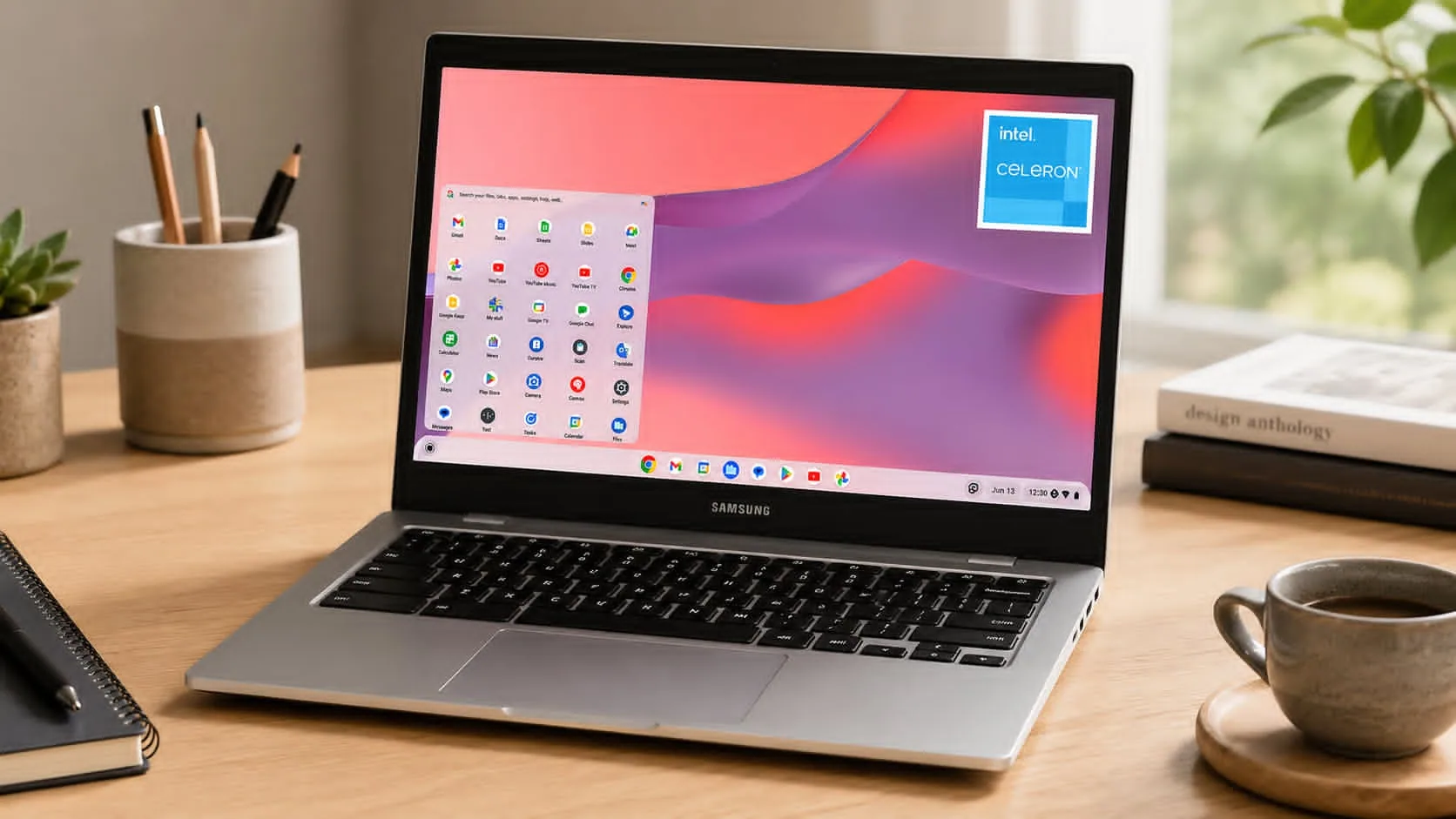
Finding a dependable laptop without draining your wallet can feel like hunting for a parking spot at a packed stadium—possible, but sometimes frustrating. The Samsung 14" Galaxy Chromebook Go Laptop aims to make that search much easier.
With ChromeOS, Wi-Fi 6 connectivity, a durable design, and an affordable price tag, the Galaxy Chromebook Go has become a popular option among budget-conscious buyers.
Current Amazon US listings commonly place the 64GB model around $180–$190, while upgraded storage bundles can range from approximately $240–$300, depending on configuration and promotions.
If your daily routine revolves around web browsing, Google Docs, streaming, email, and video calls, this Chromebook deserves a closer look. Here’s
Samsung 14" Galaxy Chromebook Go Laptop: Key Features at a Glance
Before diving deeper, here are the headline specifications:
| Feature | Specification |
| Display | 14-inch HD (1366 x 768) Anti-Reflective |
| Processor | Intel Celeron N4500 |
| Graphics | Intel UHD Graphics |
| Memory | 4GB LPDDR4X RAM |
| Storage | 32GB or 64GB eMMC |
| Operating System | ChromeOS |
| Wireless | Wi-Fi 6, Bluetooth 5.1 |
| Battery Life | Up to 12 hours |
| Webcam | 720p HD |
| Expansion | microSD support up to 1TB |
| Weight | Approximately 3.2 lbs |
The combination of a lightweight Chromebook design and ChromeOS efficiency helps keep costs low while delivering a smooth experience for common tasks.
Display and Build Quality
The 14-inch HD display features a resolution of 1366 x 768 and an anti-reflective coating that helps reduce glare in classrooms, coffee shops, and bright office environments.
While Full HD screens are increasingly common, the display remains perfectly serviceable for:
- Web browsing
- Online learning
- Document editing
- YouTube and streaming services
- Video conferencing
One standout feature is durability. Samsung built this Chromebook with MIL-STD-810G-tested durability standards, helping it withstand the bumps and knocks that often come with daily travel. The spill-resistant keyboard adds another layer of protection for students and busy users.
During extended use, the lightweight chassis feels easy to carry without feeling flimsy.
Intel Celeron N4500 Performance for Everyday Tasks
The Intel Celeron N4500 processor is designed for efficiency rather than raw computing power. For the audience this Chromebook targets, that approach makes sense.
In practical use, the system handles:
- Google Workspace applications
- Microsoft 365 web apps
- Email and messaging
- Streaming video
- Online research
- Light multitasking
ChromeOS helps maximize the hardware by keeping background processes relatively lean.
In testing scenarios similar to everyday student use, running multiple browser tabs, Google Docs, and YouTube simultaneously remains manageable. However, opening dozens of tabs or using demanding applications can slow things down.
If your workload includes video editing, programming environments, or professional creative software, you'll likely need a more powerful machine.
Memory and Storage: What You Should Know
The Galaxy Chromebook Go typically comes with 4GB LPDDR4X RAM and either 32GB or 64GB eMMC storage.
For cloud-focused users, storage limitations may not be a major concern. ChromeOS integrates tightly with Google Drive, making online storage a natural extension of the device.
Storage advantages include:
- Fast access to cloud files
- microSD expansion up to 1TB
- Support for offline documents and media
The primary limitation comes from the 4GB RAM configuration. Keeping dozens of tabs open can affect responsiveness, especially during long browsing sessions.
For students and casual users, the configuration remains sufficient for day-to-day productivity.
Wi-Fi 6 Connectivity and Modern Ports
Connectivity is one of the strongest aspects of this Chromebook.
The Wi-Fi 6 Chromebook support delivers:
- Faster wireless speeds
- Better performance on crowded networks
- Improved efficiency for video conferencing
Bluetooth 5.1 allows easy pairing with wireless headphones, keyboards, and mice.
Port selection includes:
- Two USB-C ports
- One USB-A port
- microSD card reader
- 3.5mm headphone jack
This setup offers enough flexibility for most users without requiring additional adapters.
Battery Life for School and Work
Battery life can make or break a portable computer, and Samsung performs well in this area.
The company rates the device for up to 12 hours of battery life, which aligns with many user reports and product listings.
For practical use, that means:
- A full school day without charging
- Extended travel sessions
- Coffee-shop productivity
- Streaming and web browsing throughout the day
USB-C charging adds convenience because many modern devices already use the same cable standard.
Among budget Chromebook options, battery endurance remains one of the Galaxy Chromebook Go's strongest selling points.
Webcam, Audio, and Video Calling Experience
The built-in 720p HD webcam supports:
- Zoom meetings
- Google Meet
- Microsoft Teams
- Virtual classrooms
Video quality is acceptable for professional and educational use, though it won't rival premium laptop webcams.
The stereo speakers deliver clear dialogue for meetings and online content. Music playback is adequate, though users seeking richer audio will likely prefer headphones or external speakers.
Thankfully, the headphone jack remains available, giving you flexibility that some modern laptops no longer offer.
ChromeOS Security and Software Benefits
One reason many users choose a ChromeOS laptop is simplicity.
ChromeOS includes:
- Automatic security updates
- Verified Boot protection
- Built-in malware resistance
- Fast startup times
These features reduce maintenance compared to traditional operating systems.
Another major advantage is Android app support through the Google Play Store. This expands functionality beyond browser-based applications and gives users access to thousands of mobile apps.
For students and families, the reduced need for troubleshooting is a significant benefit.
Current Amazon Pricing and Value
One of the biggest reasons shoppers consider the Galaxy Chromebook Go is affordability.
Recent Amazon listings show:
| Configuration | Approximate Price |
| 64GB Standard Model | $180–$190 |
| 32GB Base Models | Around $200 |
| Expanded Storage Bundles | $240–$300 |
| Refurbished Models | Often under $180 |
Prices fluctuate frequently based on promotions and availability.
Compared with many Windows laptops in the same price range, the Chromebook often delivers better battery life and a more streamlined experience.
Strengths of the Samsung Galaxy Chromebook Go
Several qualities help this laptop stand out:
Pros
- Affordable entry-level pricing
- Long battery life
- Lightweight Chromebook design
- Wi-Fi 6 support
- Durable construction
- Fast ChromeOS startup times
- Android app compatibility
- Spill-resistant keyboard
For students and casual users, these strengths cover the features that matter most on a daily basis.
Potential Drawbacks and Limitations
No laptop is perfect, and this model has a few trade-offs.
Cons
- 4GB RAM limits heavy multitasking
- HD display instead of Full HD
- No touchscreen on standard models
- No backlit keyboard
- Intel Celeron processor struggles with demanding software
These compromises help Samsung keep pricing affordable, though they may matter to power users.
If you need professional content creation tools or advanced multitasking, a higher-tier Chromebook or Windows laptop may be a better fit.
Who Should Buy the Samsung 14" Galaxy Chromebook Go Laptop?
This device fits several types of users particularly well:
Great For
- Students attending online classes
- Remote workers handling documents and email
- Families needing an extra household computer
- Travelers wanting a lightweight laptop
- Budget-conscious shoppers
Less Ideal For
- Video editors
- Graphic designers
- Software developers
- Gamers
- Users needing extensive multitasking
Understanding these strengths and limitations helps set realistic expectations before purchasing.
Final Thoughts
The Samsung 14" Galaxy Chromebook Go Laptop succeeds by focusing on the essentials. You get dependable battery life, solid portability, modern Wi-Fi 6 connectivity, ChromeOS security features, and a durable design at a price that remains accessible for many buyers.
The HD display and 4GB RAM configuration may feel modest by today's standards, yet they align with the laptop's intended purpose. For schoolwork, web browsing, streaming, email, and everyday productivity, the experience remains smooth and practical.
If you're shopping for a budget-friendly Chromebook, it makes sense to check the latest Amazon pricing and compare available configurations. While you're there, exploring other Chromebook models and entry-level laptops can help you find the option that best fits your needs and budget.