Why Your Android TV box Choice Should Start With Your Favorite Apps
Compare Android TV box features, prices, app support, and connection options. Learn what to check before choosing a streaming device for your home and budget.
Your favorite shows should help you choose an Android TV box. A device can have plenty of storage and an impressive feature list, yet still disappoint if your usual streaming apps do not work as expected.
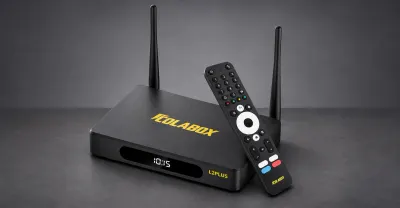
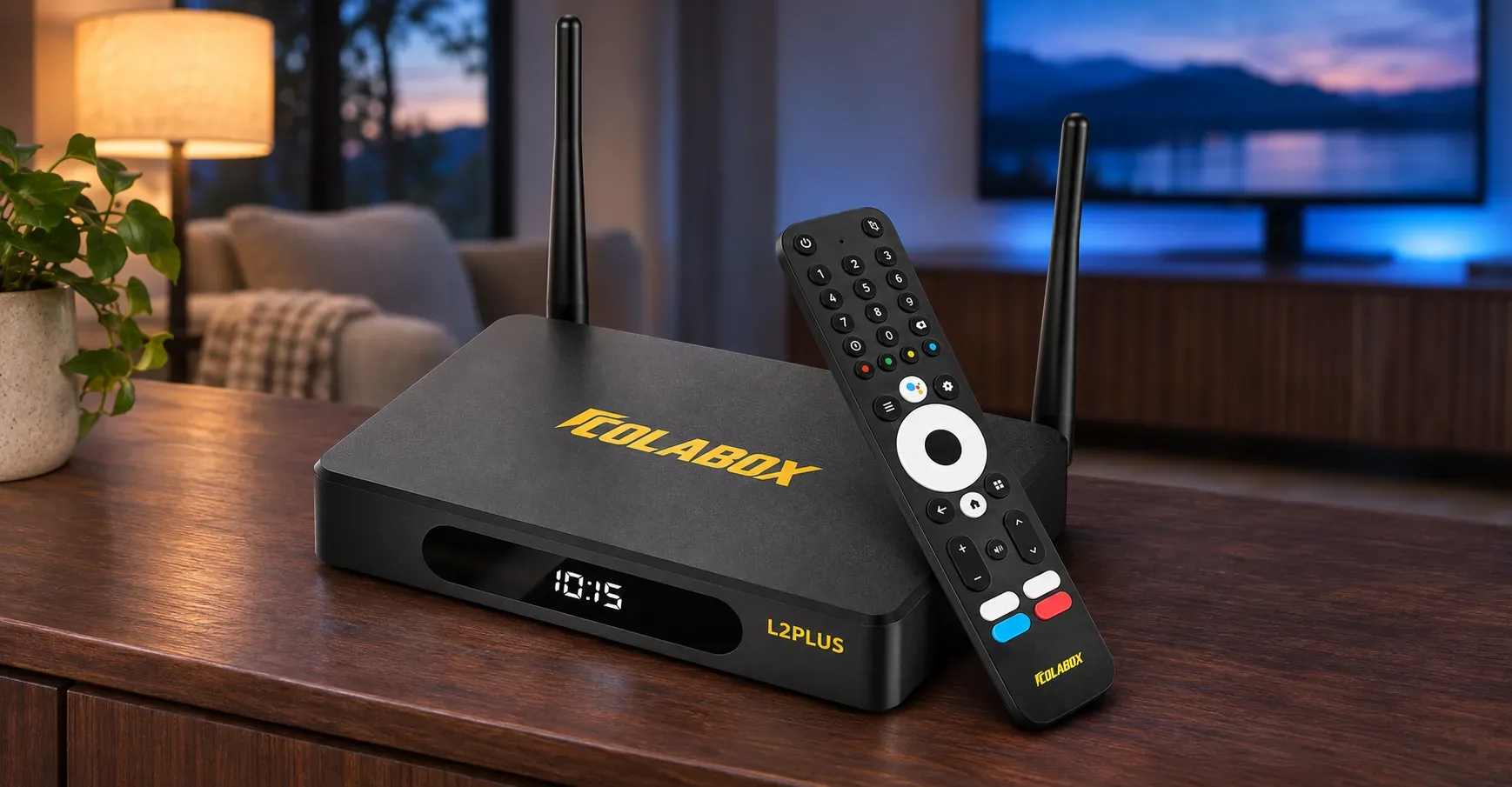
Brands such as COLABOX sell Android-based media players, and the available hardware options give you a starting point for comparison. Your watchlist, app requirements, and home setup should guide the final decision.
Which Android TV box supports your favorite apps?
Before comparing storage or processors, list the services you actually watch. Include paid subscriptions, free streaming apps, local programming, and any sports services you want to keep.
Then verify support for the exact device you are researching. A general statement such as “supports Android apps” does not settle questions about installation, remote controls, or picture quality.
This Android TV box buying guide starts with three practical questions:
- Can you install your preferred apps through their supported distribution methods?
- Does each streaming provider support the exact device?
- What playback quality and features are available on that model?
The published app compatibility information can help you identify questions for the seller. Confirmation from the streaming provider is especially useful when one particular service drives your purchase.
A clear answer here can save you from buying hardware that never suited your viewing habits.
Does Android mean every box runs the same software?
No. Android-based devices do not all provide an identical television experience.
Google maintains the Android TV platform, while some media players run standard Android. COLABOX describes its devices as running standard Android 14.0, which should not be treated as proof of certified Android TV status.
That distinction deserves attention before purchase. The operating system name alone cannot confirm how your preferred apps will work.
Why should you check certification?
Google says Play Protect certification indicates that a device has passed Android compatibility testing. Certification is separate from the Play Protect feature that checks for harmful apps.
Streaming services can have additional requirements. Netflix, for example, says app incompatibility can be related to a device’s Play Protect certification status.
Your buying question should be specific: does this exact model officially support the app and playback quality you want? An answer about Android compatibility in general leaves too much unsettled.
Which features matter after app support is confirmed?
Once your must-have apps are covered, comparing hardware becomes easier. You can focus on features that improve your actual setup instead of paying for specifications you may never use.
| Buying factor | What to check | Why it matters |
|---|---|---|
| App support | Exact model compatibility | Determines access to your preferred services |
| Picture quality | Supported resolution within each app | Helps set realistic playback expectations |
| Connections | HDMI, Wi-Fi, Ethernet, and required ports | Determines how the device fits your room |
| Controls | Remote layout and app operation | Affects everyday ease of use |
| Storage | Space needed for your intended apps and files | Helps avoid paying for unused capacity |
| Software support | Update method and support policy | Helps you judge ongoing maintenance |
| Purchase terms | Returns, warranty, and support | Matters if the device does not suit your needs |
A useful feature should have a clear purpose. Ethernet might suit your room’s wiring, while extra storage might matter if you plan to keep local media files.
If you cannot explain how a feature helps you, it probably should not decide the purchase.
How much should you pay for the hardware?
Your Android TV box price should make sense alongside compatibility, connections, controls, and support. A higher price needs a practical reason.
As one example, the COLABOX L2 Plus was listed at $309 and the ColaStick V1 Plus at $249 when checked on November 12, 2026. These prices may change.
The current device prices provide a comparison point, rather than a benchmark for every product in the category.
Your budget should reflect what you need the hardware to do. Paying extra for a connection you need can be reasonable. Paying extra solely because a model sounds premium is harder to justify.
Are streaming subscriptions included?
A one-time hardware purchase does not automatically include paid entertainment. The seller states that third-party apps may require separate fees, accounts, and regional access.
Your full budget should include the device, internet service, subscriptions, and any necessary accessories. Keeping these costs separate makes comparisons clearer.
It also helps you judge potential cable savings realistically. The relevant number is your expected total bill after switching.
Streaming box vs streaming stick: which fits your room?
The streaming box vs streaming stick decision should follow your connection needs and available space.
A compact stick may suit a television with limited shelf space. A box may suit you when a particular model includes ports or connections that the stick lacks.
Neither shape guarantees better app support or playback. Those details still need checking for each device.
The box and stick descriptions can help you compare physical arrangements. Cable clearance, power access, and room for the device are worth checking before delivery.
Your main television and guest-room screen may need different setups. There is no need to choose identical hardware for both.
Will a 4K label guarantee sharp video in every app?
A 4K streaming device may support high-resolution output without delivering 4K through every streaming service. The provider’s requirements still apply to the exact device and app.
That makes verified app performance a better buying factor than a large 4K badge on the packaging. Your screen and chosen subscription should fit your expectations, too.
Internet requirements vary by service. Netflix currently recommends a stable connection of at least 15 Mbps for 4K viewing, though that recommendation does not establish Netflix support on any particular box.
If your television is not 4K, that feature alone is unlikely to solve a current viewing problem. Reliable access to the apps you use may matter far beyond maximum output resolution.
Should you choose Ethernet or Wi-Fi?
A streaming device with Ethernet gives you a wired connection option. That can fit a living room where the router is nearby or a cable can run neatly to the television.
Wi-Fi may be the practical choice in a bedroom or a space where cables would be awkward. Your room should guide the decision.
The listed network connections establish what a model supports. They cannot guarantee the performance of your home internet service.
Before buying, it helps to know how your current connection behaves beside the television. A new player should not be expected to fix every internet problem.
Can you connect the device to an older television?
An Android TV box for older TVs needs a compatibility check before purchase. An older screen may work for your needs, but the available inputs matter.
The devices discussed here use HDMI connections for supported televisions, monitors, and projectors.
If your television lacks HDMI, adapters become a separate buying question. Sound, picture support, and power requirements need answers for the complete setup.
Your existing smart TV deserves attention as well. If it already runs your preferred apps comfortably, an external player should solve another clear problem before you spend money.
What ownership drawbacks deserve attention?
Small daily frustrations can outweigh an attractive specification sheet. Remote controls, app behavior, and support quality belong in your comparison.
Will the controls suit your household?
Readable buttons and predictable controls matter when several people share a television. The person who chooses the device may not be the only person using it.
Detailed reviews can help identify questions about searching, signing in, or switching apps. General praise gives you little information about those everyday tasks.
What software support can you expect?
A recent Android version does not answer how future updates will arrive. A useful seller response explains the update process and any stated support period.
The published support information is a starting point for checking documentation and contact options. Unanswered compatibility questions are best settled before checkout.
What should you know about channels and return terms?
A channel directory helps you research programming, but a listing does not establish permanent access through your hardware purchase.
The seller says content and replay availability depend on third-party apps, providers, and regions. Your must-have programming therefore needs confirmation about access and separate payments.
The channel and purchase details can help you identify those conditions. Replay access deserves its own check if you regularly watch after a broadcast.
The store advertises 30-day returns and a one-year hardware warranty. Your exact terms should explain return conditions, exclusions, and any costs involved.
Which device belongs beside your television?
Your favorite apps should pass the first test. After that, the right device needs suitable connections, manageable controls, clear purchase terms, and a total cost you understand.
A box makes sense when its specific features improve your current setup. If your television already handles your viewing comfortably, you may have no immediate reason to add hardware.
Once your requirements are clear, you can compare the available devices against your checklist. Choose the option that supports your viewing habits without paying for features you do not need.