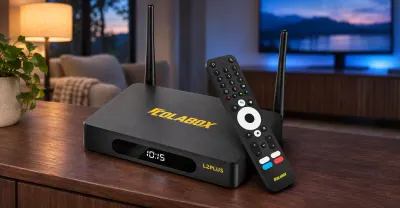
COLABOX L2 Plus Review: Is This Android Streaming Box Worth Buying?
Read this COLABOX L2 Plus review to compare 4K streaming, Android 14, connectivity, pricing, app support, and buying factors before choosing your TV box.
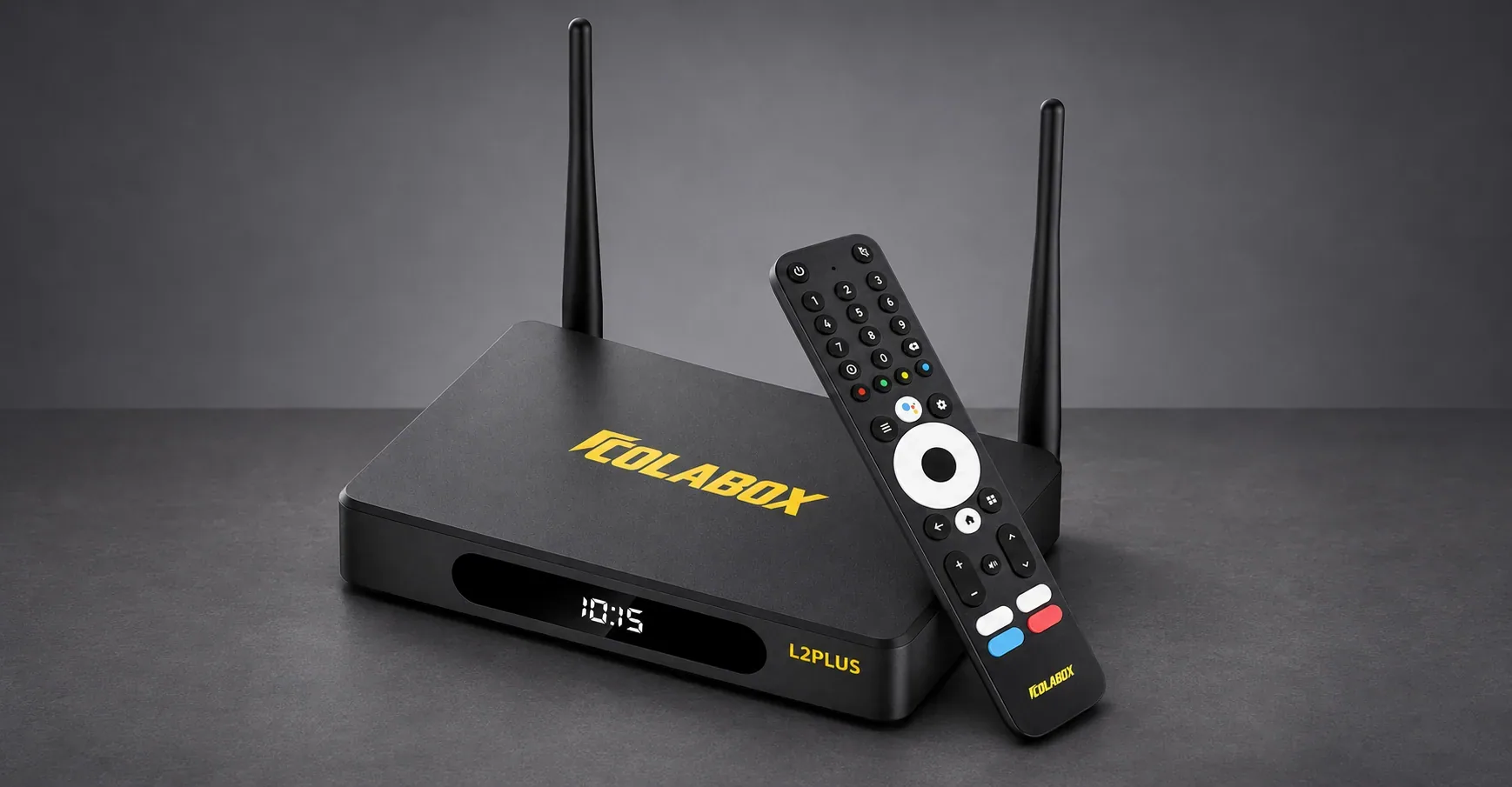
Looking for a way to bring your favorite streaming apps together on one TV? A dedicated media player might be worth checking out, especially if your television feels slow or has limited app support.
This COLABOX L2 Plus review covers the device's features, 4K capabilities, connectivity, pricing, and possible drawbacks. The goal is to help you decide if it makes sense for your home entertainment setup.
With Android 14, 4GB RAM, and 64GB storage, the L2 Plus has several features worth comparing. You can explore the Android streaming device and its specifications while reviewing your options.
COLABOX L2 Plus Review: What Does This Streaming Box Include?
The L2 Plus is an Android TV box designed to connect to a television, projector, or compatible monitor through HDMI.
It runs Android 14 and supports compatible apps for streaming, entertainment, and other everyday uses.
Unlike a television with built-in smart features, this device operates separately. That means you can use its interface without relying entirely on your TV's existing software.
Key Specifications
Here's a quick look at the published hardware details.
| Feature | L2 Plus Specifications |
|---|---|
| Operating system | Android 14 |
| Processor | GK63 quad-core ARM Cortex-A55 |
| RAM | 4GB |
| Internal storage | 64GB |
| Video output | Up to 4K |
| Wireless connection | Dual-band 2.4GHz/5GHz Wi-Fi |
| Wired connection | Ethernet |
| Bluetooth | Bluetooth 5.0 |
| Connections | HDMI, USB, LAN, AV, optical audio, TF card |
| Remote control | Included |
| Advertised U.S. price | $309 |
These specifications make the L2 Plus a candidate for households that want a dedicated media player with several connection options.
However, hardware specifications alone don't guarantee smooth playback with every streaming service.
What Are the Main Features of the L2 Plus?
Before spending money on a streaming device, it helps to understand which features will actually affect your viewing experience.
Android 14 Operating System
The L2 Plus uses Android 14, giving it a familiar interface for running compatible applications.
You can use supported apps for entertainment, media playback, and other activities.
However, app compatibility depends on the device, software requirements, and regional availability.
Some streaming services require specific certifications or digital rights management support for HD or 4K playback.
Check your favorite apps before purchasing rather than assuming every Android application will work.
4K Video Output
The L2 Plus is marketed as a 4K streaming box capable of outputting video at up to 3840 × 2160 resolution.
That can be useful if you own a compatible 4K television or projector.
However, actual picture quality depends on the content, app, internet connection, and display.
A device supporting 4K output doesn't automatically mean every streaming service will play in 4K.
4GB RAM and 64GB Storage
The device includes 4GB of RAM and 64GB of internal storage.
RAM helps the system handle running applications, while storage provides space for installed apps and other supported files.
For everyday streaming, these specifications provide a reasonable amount of hardware capacity.
Still, actual performance depends on software optimization, background activity, and the apps you install.
You can review the media player's hardware features before comparing it with other devices.
How Good Is the L2 Plus for Home Streaming?
The L2 Plus is designed for watching compatible streaming services, playing supported media, and using entertainment applications.
Its hardware makes it suitable for evaluation as a streaming device for home use, particularly on a main living room television.
Watching Movies and TV Shows
The device connects through HDMI and supports compatible Android applications.
You can access content through services available for your device and region, provided you have any required accounts or subscriptions.
The manufacturer also advertises replay support through compatible apps and content providers.
However, replay availability depends on the service. It's not a guarantee that every channel or program can be replayed.
Watching Sports and Live TV
Sports fans may appreciate having compatible streaming applications accessible through one device.
The L2 Plus supports internet connectivity through Wi-Fi or Ethernet, giving you flexibility when setting up your viewing area.
Keep in mind that access to sports networks, premium broadcasts, and live channels depends on the services you use.
Purchasing the hardware doesn't automatically include subscriptions to paid sports or television services.
You can check supported entertainment and viewing options before deciding if the device fits your preferences.
Is the L2 Plus Easy to Set Up?
One advantage of a separate streaming box is that you can connect it to an existing television without replacing the screen.
The L2 Plus comes with a remote control, HDMI cable, and power adapter.
Basic Setup Process
Getting started generally involves these actions:
- Connect the device to your television using the included HDMI cable.
- Plug the power adapter into a suitable outlet.
- Select the correct HDMI input on your TV.
- Connect the device to your home Wi-Fi or Ethernet network.
- Follow the on-screen setup instructions.
- Configure compatible applications and account settings.
The process is fairly straightforward, although setup time depends on your network, remote configuration, and app requirements.
What If Your TV Is Older?
The L2 Plus works with compatible displays that have an HDMI input.
If your older television doesn't have HDMI, you may need additional equipment, and compatibility isn't guaranteed.
Check your television's available ports before ordering.
Wi-Fi vs. Ethernet: Which Connection Works Better?
The L2 Plus supports both wireless and wired networking.
This gives you two ways to connect the device to your home internet service.
Wi-Fi Connectivity
Dual-band Wi-Fi lets the device connect to compatible 2.4GHz and 5GHz networks.
A wireless connection can be convenient when your television is far from your router.
However, streaming performance may be affected by walls, distance, network congestion, and interference.
Ethernet Connectivity
A TV box with Ethernet can be useful when you want a wired internet connection.
Ethernet may provide a steadier connection in households with crowded wireless networks.
If your router is near your television, using a network cable may help reduce connection-related interruptions.
The L2 Plus supports Ethernet, making it worth comparing with compact streaming sticks that rely mainly on Wi-Fi.
You can compare available streaming device connection features while planning your setup.
How Much Does the L2 Plus Cost?
The L2 Plus is currently advertised at $309 on the U.S. retailer's website.
That places it above many basic streaming sticks, so it's worth evaluating the features you actually need.
The price covers the hardware, but additional costs may apply depending on your entertainment preferences.
Does It Require a Monthly Subscription?
The manufacturer describes the L2 Plus as a streaming box without subscription requirements for the hardware itself.
This means you don't need a separate recurring device membership simply to own and operate the media player.
However, third-party applications may require paid subscriptions, account registration, or additional fees.
For example, premium streaming services and live sports subscriptions generally have their own payment terms.
What Does the Purchase Include?
According to the retailer, the standard package includes:
- L2 Plus media player
- Remote control
- HDMI cable
- Power adapter
- User guide
The retailer also advertises a 30-day return window and a one-year hardware warranty, subject to its published conditions.
You can review current pricing and purchase terms when calculating your total cost.
Pricing and policies were checked in November 2026 and may change.
L2 Plus vs. Streaming Stick: Which Is Better?
A compact streaming stick may be enough if you only need a few familiar entertainment apps.
The L2 Plus provides additional storage and physical connections that may suit a permanent home setup.
| Feature | L2 Plus | Typical Streaming Stick |
|---|---|---|
| Design | Separate TV box | Compact HDMI stick |
| Storage | 64GB | Varies by model |
| Ethernet | Built in | May require an adapter |
| USB connections | Available | Often limited |
| Portability | Less compact | Usually easier to carry |
| Price | $309 advertised | Varies widely |
| Best suited for | Main TV and connected setups | Simple streaming and travel |
A streaming stick may be the practical choice if you want something inexpensive and easy to carry.
The L2 Plus may suit you better if you prefer a full-size media player with additional ports and wired networking.
What Are the Pros and Cons of the L2 Plus?
Every streaming device has strengths and limitations.
Here are the main points worth weighing before purchasing.
Advantages
- Android 14 operating system
- 4GB RAM and 64GB internal storage
- Up to 4K video output
- Wi-Fi and Ethernet connectivity
- Multiple ports for compatible accessories
- Remote, HDMI cable, and power adapter included
- Advertised one-year hardware warranty
Possible Drawbacks
- Higher upfront price than many basic streaming sticks
- Third-party streaming subscriptions may cost extra
- App compatibility and playback quality can vary
- Requires an HDMI-compatible display
- Takes up additional space near your television
- Independent long-term performance testing is limited
These points are based on published specifications rather than hands-on testing.
If you mainly use a few common streaming apps, a less expensive certified streaming device may meet your needs.
You can examine the available TV box features and specifications before comparing alternatives.
What Should You Check Before Buying the L2 Plus?
Before choosing any Android 14 media player, make sure its features match your home entertainment needs.
Start with app compatibility. Confirm that the services you regularly use support the device and the playback quality you expect.
Next, check your television's HDMI connection and available internet options.
You should also review the retailer's warranty, return conditions, and customer support information.
COLABOX advertises support through email and WhatsApp, along with U.S. warehouse fulfillment.
These services may be helpful if you need assistance with setup or troubleshooting.
Finally, compare the total purchase price with other streaming devices. Additional ports and storage are useful only if you plan to use them.
Is the L2 Plus Worth Buying for Your Home?
The L2 Plus may be worth buying if you want an Android-based media player with 4K output, 64GB storage, and both wired and wireless internet connections.
It makes the most sense for a permanent living room setup where additional connectivity matters.
However, its $309 price may be difficult to justify if you only need a basic device for a few streaming apps.
Before deciding, ask yourself:
- Does it support the applications you use regularly?
- Do you need Ethernet and additional ports?
- Is your television compatible?
- Are you comfortable with the total cost?
- Do the warranty and return terms meet your expectations?
If those features match your needs, you can explore the L2 Plus and check its current availability before making a purchase.
The right streaming device should fit your viewing habits, work with your favorite apps, and provide the connections you need without unnecessary spending.